
Overview
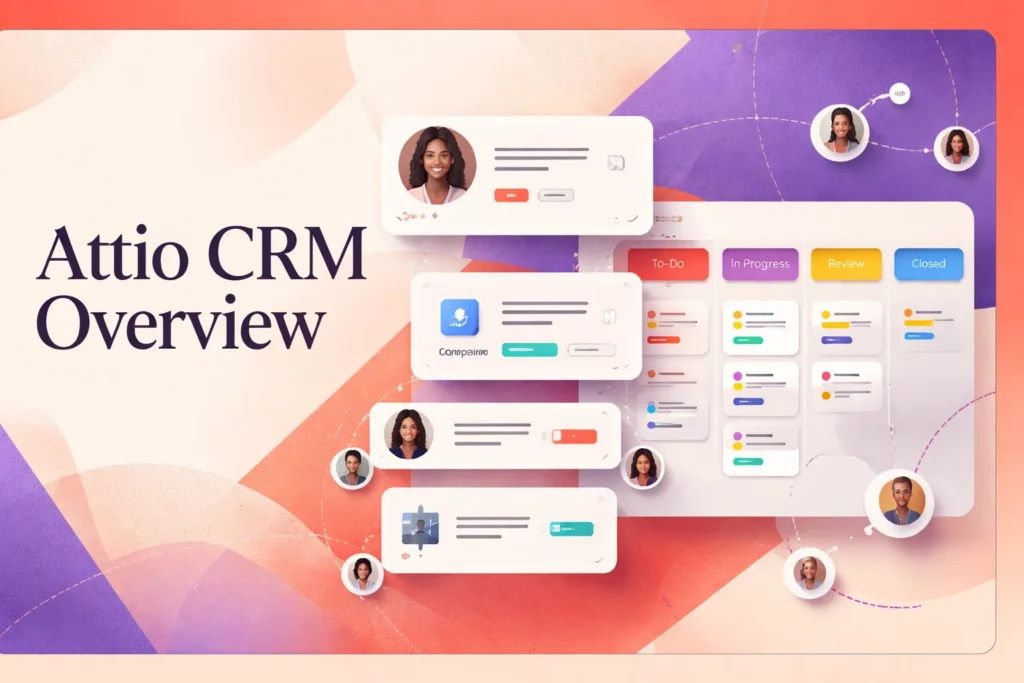
Attio CRM is a cloud-based customer relationship management platform built around configurable records, linked relationships, and collaborative workflows. It lets teams organize people, companies, deals, and other business entities without forcing every workspace into a single predefined structure. That makes it relevant to organizations whose customer model, sales process, or relationship network does not fit neatly inside a conventional CRM template.
Teams can use Attio as a shared operational system for relationship data, pipeline management, communication history, and reporting. Its flexibility does not remove the need for implementation decisions: administrators still have to define objects, attributes, stages, permissions, and workflow rules. Available automation, reporting, communication, and governance capabilities also depend on the selected plan and workspace configuration.
How Attio CRM organizes customer and business data
Attio structures CRM information as records and relationships. People, companies, and deals can sit alongside custom objects representing entities specific to a business, such as partnerships, portfolios, subscriptions, or locations. Custom attributes then capture the information that matters for each object, while linked relationships show how records connect.
This model differs from a more fixed CRM in which contacts, accounts, and opportunities arrive with a largely predetermined hierarchy. Attio gives a team more control over that hierarchy. A company could, for example, connect one person to several organizations, associate those organizations with active deals, and create a custom object for another operational concept. This is a hypothetical structure; the appropriate design depends on how the organization works.
Users can surface the same underlying records through table, kanban, and other detailed views. Sorting and filtering let different teams focus on relevant subsets without creating separate copies of the data. A sales team might view open deals by stage, while a relationship manager filters the associated companies by market or engagement status. Lists and views therefore act as working contexts rather than isolated databases.
Automatic enrichment and synchronized contact activity can reduce manual entry, but teams still need conventions for ownership, naming, and required fields. Flexibility is most useful when the workspace has a coherent model; without one, custom attributes and objects can multiply faster than users can maintain them. Reporting also relies on consistent record structures, so data-model decisions affect more than how a screen looks.
Using Attio CRM for sales and relationship workflows
A typical sales workflow starts by bringing people and companies into the workspace, linking them to deals, and assigning each deal to a pipeline stage. Teams can then use filtered or kanban views to monitor progression and activity. Attio’s pipeline reporting can cover forecasts, win rates, and time to close, giving managers a way to evaluate movement rather than relying only on a static deal total.
Email and calendar synchronization place communication and activity in the relevant record context. Collaboration features help users work from shared information instead of maintaining private spreadsheets or disconnected notes. Workflows can move information through repeatable processes, while sequences, AI agents, Call Intelligence, and integration blocks extend particular activities when the relevant plan and configuration support them. These tools should not be treated as a substitute for defining qualification criteria, stage-entry rules, or ownership expectations.
Connected applications can carry information into or out of the CRM. For example, a form or messaging tool may support capture and handoff, while email and calendar connections preserve communication context. More specialized processes may depend on an integration, workflow configuration, or developer-built connection rather than a default CRM screen. Attio also provides a REST API, webhooks, an App SDK, and MCP access for teams that need to extend the workspace.
What teams need to configure and maintain
Implementation begins with deciding what the workspace should represent. Administrators need to identify core objects, define attributes, map relationships, establish pipeline stages, and decide which information is mandatory. They must also set permissions that give users appropriate access without making sensitive or operationally important data unnecessarily broad.
Migration requires similar preparation. Attio supports imports from Salesforce and from systems such as HubSpot CRM, Pipedrive, and Zoho CRM, as well as Excel and CSV files. Before importing, teams should remove duplicates, standardize field values, and determine how source fields map to the new structure. Export controls vary by plan, so data-portability procedures should be established before they become urgent.
After launch, someone must own changes to fields, stages, views, permissions, and connected tools. Workflow automation can perform defined actions, but it cannot decide whether the underlying process is sensible or whether users are entering information consistently. Managers also need stable definitions for pipeline stages and reporting measures; otherwise, forecasts and performance comparisons may reflect inconsistent usage rather than real operating changes.
The strongest implementations balance local flexibility with workspace-wide governance. Individual teams can receive views suited to their work while shared records, attributes, and reporting definitions remain controlled. Periodic reviews of unused fields, stale records, failed integrations, access rights, and workflow logic help keep the CRM understandable as the organization evolves.
Key features
Configurable CRM data model
Organizes people, companies, deals, custom objects, attributes, and linked relationships around a team’s operating model.
Flexible record views
Presents records through table, kanban, and other detailed views with sorting and filtering.
Sales pipeline management
Tracks deals through stages and supports forecasts, win-rate analysis, and time-to-close reporting.
Email and calendar synchronization
Connects communication and calendar activity to relevant CRM records and shared timelines.
Configurable workflows
Supports repeatable processes using workflows and integration blocks, with availability and limits varying by plan.
Developer extension tools
Provides a REST API, webhooks, OAuth, App SDK, and MCP access for custom connections and applications.
Best use cases
Custom sales pipeline management
Model deal stages, monitor progression, and report on forecasts, win rates, and closing time.
Relationship tracking
Connect people, companies, deals, and custom entities to preserve the context surrounding complex business relationships.
Shared customer data workspace
Give teams filtered views of common records, communication history, and operational attributes.
CRM migration and consolidation
Import records from supported CRM platforms, Excel, or CSV and reorganize them within a configurable data model.
Pricing
The pricing page displays USD but does not explicitly confirm United States applicability. Annual commitments show lower monthly equivalents: $35 per user/month for Plus and $79 per user/month for Pro. Additional workspace credits may incur separate charges. Attio says users can start without a credit card, but a separate time-limited trial is not confirmed.
Free
Plus
Pro
Enterprise
Pricing last verified 6 October 2026.
Important limitations
- Plan-dependent capacity and controls. Seats, objects, records, reports, email accounts, email volume, credits, permissions, and exports can be limited or gated by plan.
- Configuration requires governance. Custom objects and attributes give teams flexibility, but administrators must maintain a coherent data model, permissions, and reporting definitions.
- Credits can add variable costs. Usage beyond included workspace credits may create separate charges, making some operating costs less predictable.
Who Attio is best for
Attio suits startups, sales organizations, partnership teams, and relationship-driven businesses that want to shape CRM records around their own operating model. It is less suitable for teams seeking a fully predetermined structure with minimal setup or organizations unwilling to assign clear ownership for data design, permissions, workflow maintenance, and reporting consistency.
Pros and cons
Advantages
- The configurable object and relationship model can represent business structures that do not fit a fixed contact-account hierarchy.
- Multiple views let teams work from shared records while focusing on different pipeline or relationship contexts.
- Native imports and developer tools provide several routes for migration, integration, and extension.
- An ongoing free plan gives small teams a way to begin using the core workspace without a credit card.
Tradeoffs
- The flexible data model requires deliberate setup and ongoing governance to prevent inconsistent fields, objects, and reports.
- Material limits and advanced controls vary by plan, including record capacity, object counts, permissions, reporting, and export controls.
- Separate workspace-credit charges can make costs vary with the features and usage a team enables.
Works with
Is Attio the right choice?
Attio is strongest for teams that view CRM as a configurable operating system for relationships rather than a fixed database of contacts and deals. Its linked records, custom objects, adaptable views, and extension options can support unusual business models or evolving processes without requiring teams to work around a rigid default hierarchy.
That flexibility is also the principal trade-off. A useful workspace depends on disciplined decisions about objects, fields, permissions, stages, ownership, and reporting definitions. Teams seeking an immediately prescriptive sales process may find that responsibility burdensome, while organizations prepared to govern their data model can make the platform fit more closely around their work. Plan-based capacity, control, and credit considerations also deserve attention before a broader rollout. Attio is therefore a compelling fit when adaptability matters and the organization has someone able to maintain the structure behind it.
Official source research. Facts last verified 6 October 2026. Platforms change their pricing and features without notice, so confirm current details with the provider before purchasing.