
Overview
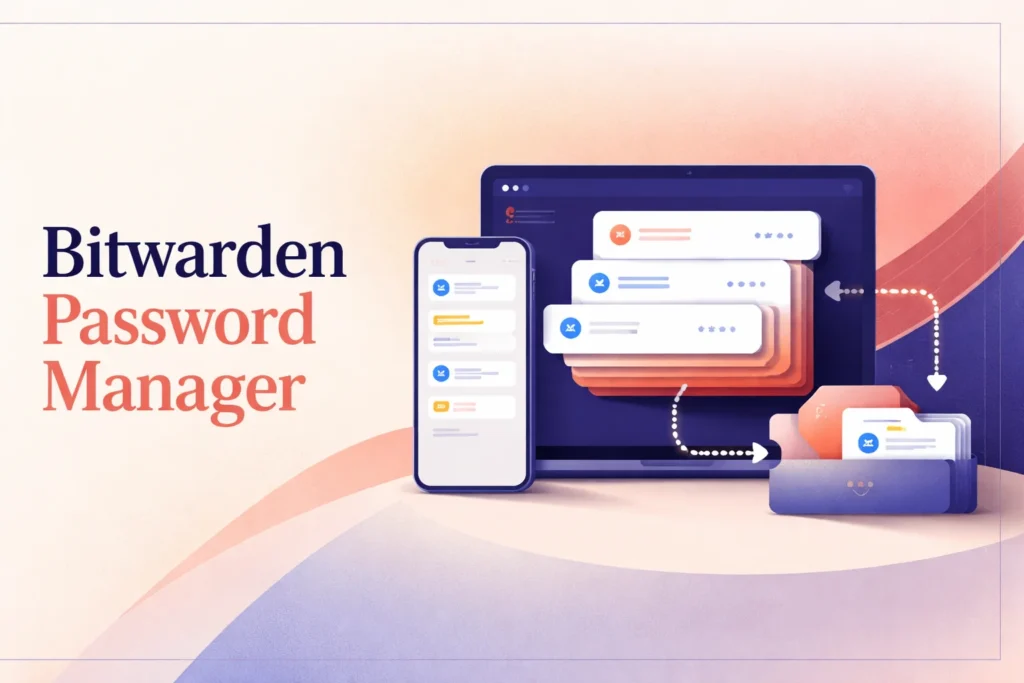
What is Bitwarden? It is a password-management platform that keeps account credentials and other vault records available through supported web, browser, mobile, desktop, and command-line clients. The Bitwarden password manager can generate credentials, fill sign-in forms, synchronize vault changes, and support controlled sharing through organizations.
Its scope extends from a free individual vault to family and business arrangements, but the appropriate setup depends on who needs access and how recovery will work. Users should confirm that their preferred clients support the workflows they rely on, particularly mobile autofill, shared records, and administrative recovery. Bitwarden also offers adjacent security products, so plan comparisons should focus specifically on Password Manager entitlements rather than assuming every Bitwarden service is included.
How Bitwarden Helps Manage Passwords and Account Access
A typical setup begins with creating an account and choosing a strong master password. The master password protects access to the vault, so it should be memorable to its owner without being reused elsewhere. Two-step login can add another account-protection step, but users must also retain any applicable recovery codes and understand what happens if an authentication method becomes unavailable.
Credentials can then be added while creating accounts, entered manually, or brought into the vault through a supported migration process. Each record should be named and organized so that the correct login is easy to identify later. When creating or changing an account password, the generator reduces the need to devise and remember another credential. The saved record then becomes the reference point for future sign-ins.
During everyday use, a browser extension or mobile app can match a saved login to a site or app and offer to fill it. Users should still verify the destination and selected account before submitting credentials, especially when several records use similar names. Android autofill has documented limitations around custom fields and sign-in flows split across multiple screens, so occasional manual selection or copying may still be necessary.
Vault changes synchronize between supported clients. This makes an updated password available on another device without maintaining separate records, although users should allow for synchronization timing. Organization-owned items follow a shared synchronization process and may not appear instantly for every member. The web vault, desktop apps, browser extensions, mobile apps, and command-line interface offer different interaction patterns, so a practical setup may use several clients rather than treating one interface as universal.
Choosing a Bitwarden Plan and Setup Approach
Plan selection starts with ownership. An individual who only needs a personal vault can begin with the ongoing free option and assess whether paid personal controls are necessary. Premium remains an individual account rather than a household-sharing plan. Someone who needs a shared family space should therefore evaluate Families or an organization arrangement instead of assuming an individual upgrade adds secure vault sharing.
Households should decide which records belong to one person and which should be managed collectively. Shared credentials placed in an organization can be assigned through collections, while private records remain in personal vaults. The free organization is suitable only for limited sharing with one other user and up to two collections. Families expands the supported group to six users, making membership count and expected organization structure important selection factors.
Businesses have additional questions: how many people require managed access, who will administer the organization, whether identity integrations are needed, and how account recovery should be configured. Teams and Enterprise use per-user pricing with annual billing. Enterprise recovery also requires organization configuration and user enrollment; buying the plan alone does not establish a working recovery process.
Device choice matters alongside plan choice. Browser-based work may emphasize extensions, while mobile-heavy use depends more on operating-system autofill behavior. Technical teams may also need the CLI or an optional self-hosted server connection. Readers comparing a different product structure can consult the 1Password platform overview, but each service’s plan boundaries and recovery model should be assessed independently.
Personal Premium is documented as annual-only, and the displayed monthly figure is an annual-price equivalent rather than a confirmed month-to-month subscription. Buyers should compare the full annual charge, user basis, taxes, and sharing entitlement—not just the monthly equivalent shown on the pricing page.
Security, Sharing, and Recovery Considerations
A password manager centralizes access, which makes account-protection choices consequential. Users remain responsible for selecting a strong master password, protecting enrolled authentication methods, reviewing autofill suggestions, and keeping recovery materials somewhere accessible but appropriately protected. Synchronization improves consistency between devices, but it does not remove the need to verify that an important password change has reached the client being used.
Sharing should be designed around ownership rather than convenience alone. Organization records can be placed into collections so members receive access appropriate to their role or household needs. Administrators should avoid placing personal credentials into a shared collection unintentionally and should review access when a person leaves a family group or business. Bitwarden Send provides another sharing workflow, but it should not be treated as interchangeable with long-term organization membership and vault permissions.
Recovery differs between personal and managed accounts. A forgotten personal master password generally cannot be reset through a conventional consumer password-reset email. Recovery planning may instead involve saved recovery codes, emergency access where available, and current exports. These measures need preparation before access is lost. An export can support migration or contingency planning, but exported data must be stored and handled carefully because it creates another copy of sensitive records.
Enterprise account recovery is an administrative capability with prerequisites. The organization must configure it, and users must be enrolled for it to apply. It also does not bypass identity-provider single sign-on or multifactor authentication configured by that provider. Administrators should document which system controls each stage of access, test operational procedures with noncritical accounts, and ensure that designated recovery personnel can act when needed. Platform safeguards and administrative controls help manage access, but they cannot compensate for an undocumented recovery process or careless handling of credentials outside the vault.
Key features
Structured vault storage
Stores logins, secure notes, payment cards, identities, passkeys, and eligible encrypted attachments in organized vault records.
Credential generation
Generates usernames and passwords so users can create distinct credentials instead of repeatedly devising them by hand.
Autofill workflows
Fills saved credentials through supported browser extensions and mobile apps, with platform-specific behavior and limitations.
Cross-client synchronization
Synchronizes vault changes across web, browser, mobile, desktop, and command-line clients.
Organization sharing
Uses organizations and collections to provide controlled access to shared vault records for households and businesses.
Account security controls
Supports two-step login, passkey-related access options, and supported PIN or biometric unlock workflows.
Recovery and continuity options
Offers applicable features such as recovery codes, emergency access, encrypted exports, and configured enterprise account recovery.
Best use cases
Personal credential management
Keep individual logins and other vault records synchronized across supported devices while generating distinct credentials for new accounts.
Household password sharing
Organize selected household credentials in shared collections while keeping each member's personal vault records separate.
Team access administration
Give organization members controlled access to shared credentials and manage collections as roles or membership change.
Technical access workflows
Use browser, desktop, mobile, web, or command-line clients according to the environment in which credentials are needed.
Pricing
United States pricing is displayed in USD, and taxes are not included. Personal and business trials are offered, but their durations were not confirmed.
Free
Premium
Families
Teams
Enterprise
Pricing last verified 10 October 2026.
Important limitations
- Premium excludes vault sharing. The individual Premium plan does not include secure vault sharing; that workflow requires an organization plan.
- Personal Premium is annual-only. Official plan documentation describes Personal Premium subscriptions as annual-only rather than regular month-to-month subscriptions.
- Personal password reset is restricted. A forgotten master password generally cannot be reset for a personal account, making advance recovery planning important.
- Some autofill workflows need intervention. Android autofill has documented limitations for custom fields and sign-in processes divided across multiple screens.
Who Bitwarden is best for
Bitwarden suits individuals who want a synchronized password vault, households that need controlled sharing, and organizations managing team credentials. It is less suitable for users unwilling to maintain a master password and recovery materials, or for Premium buyers who expect individual subscriptions to include shared vault access.
Pros and cons
Advantages
- The ongoing free individual plan includes unlimited storage for core vault item types and access across devices.
- A broad client range supports browser, mobile, desktop, web, and command-line workflows.
- Personal, family, and business plans address distinct ownership and sharing arrangements.
- Organizations and collections provide a structured way to separate shared records from personal vault items.
Tradeoffs
- Personal Premium is billed annually and does not include secure vault sharing.
- Forgotten personal master passwords generally cannot be reset through a standard account-reset process.
- Android autofill may require manual handling for custom fields and split-login workflows.
Works with
Is Bitwarden the right choice?
Bitwarden is a strong fit for people and organizations that want one password-management system across several client types without making a paid subscription the entry requirement. Its plan structure accommodates a personal vault, limited free sharing, larger households, and managed business access, while organizations and collections establish clearer ownership for shared records.
The principal trade-off is that users must understand the boundary between an individual subscription and an organization. Premium adds individual capabilities but does not provide secure vault sharing, and personal recovery is less forgiving than a conventional password-reset flow. Bitwarden therefore works best when users choose the correct ownership model at the outset, protect their master password and recovery materials, and verify autofill behavior on their actual devices. Businesses should also configure and document recovery rather than assuming an Enterprise subscription activates it automatically.
- Official website ↗
- Official pricing ↗
- Documentation ↗
- Documentation ↗
- Documentation ↗
- Documentation ↗
- Documentation ↗
- Documentation ↗
Official source research. Facts last verified 10 October 2026. Platforms change their pricing and features without notice, so confirm current details with the provider before purchasing.