
Overview
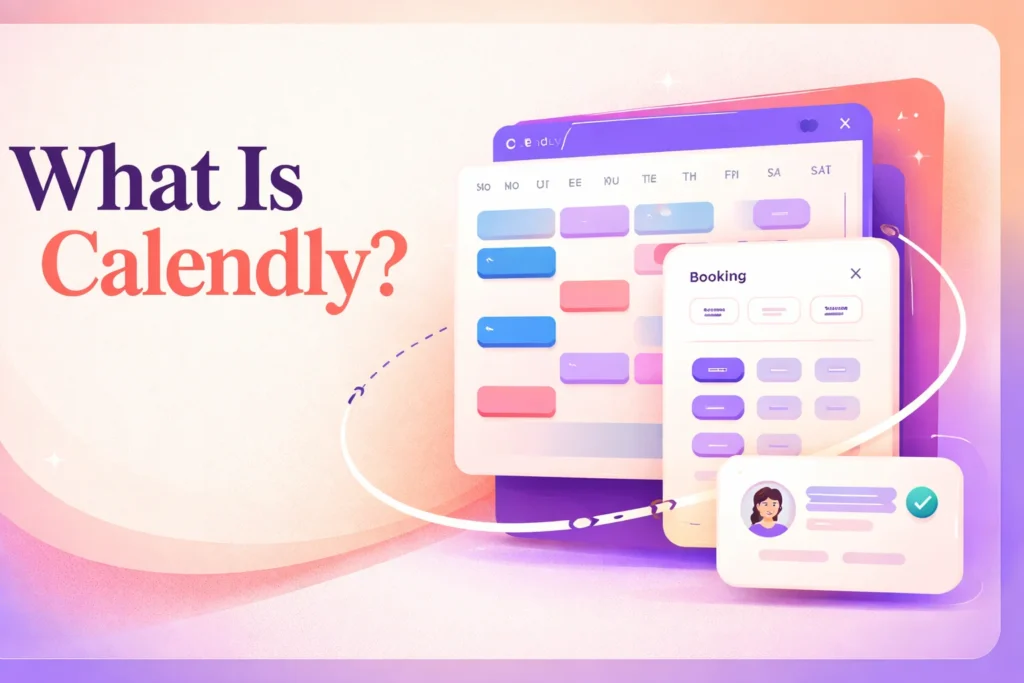
What is Calendly? Calendly is an online scheduling platform that lets an organizer define when and how meetings can be booked, then offer eligible times through a shared link or embedded booking page. An invitee chooses from those times instead of exchanging messages to find a workable slot. Once confirmed, the meeting is added to the connected calendar, helping both sides treat the booking as part of their existing schedule.
Calendly supplements rather than replaces a calendar or conferencing service. The connected calendar provides conflict information, while an integrated service such as Zoom, Google Meet, or Microsoft Teams can provide the meeting location. Calendly manages the rules and booking route between those systems.
How Calendly scheduling works
Setup begins when an organizer connects a calendar. Calendly uses that connection to check for conflicts and align available times with meetings already on the schedule. The organizer then establishes working hours, meeting duration, buffers, and other booking conditions. Those rules matter because the availability an invitee sees is generated from both the configured schedule and the connected calendar’s current commitments.
The organizer also creates an event type that represents a particular booking workflow, such as a one-to-one consultation or a meeting involving several people. Each event type can have its own duration and conditions. A booking link can then be sent directly, placed in a message, or embedded on a website. This model works best when the organizer can define the acceptable options in advance. Readers considering a polling-based approach can compare it with the separate guide to Doodle scheduling.
When an invitee opens the route, Calendly presents times that satisfy the organizer’s rules without exposing the full contents of the connected calendar. The invitee selects a slot and supplies the requested booking information. Calendly then records the meeting and updates the relevant calendar. If a conferencing integration has been configured, its meeting details can be included as part of the scheduled event.
After booking, configured notifications and reminders can support the period before the meeting. The booking experience can also provide a route for rescheduling. These controls reduce manual coordination, but they do not remove the need for accurate setup. Organizers remain responsible for maintaining availability, selecting the correct connected calendars, and configuring event-specific rules. Invitees still need to choose and confirm a suitable offered time.
The calendar connection is therefore operationally important, not merely a convenience. If the wrong calendar is connected or an organizer’s availability rules no longer reflect their schedule, the offered times may not match how that person actually works. Video meetings and downstream business processes likewise depend on supported integrations being connected and configured appropriately.
Using Calendly for individual and team scheduling
For an individual organizer, the workflow is relatively direct: one person defines availability, publishes a booking route, and hosts the resulting meetings. This can support recurring appointment patterns without requiring the organizer to negotiate every time manually. The Free plan supports a constrained version of that model, while paid plans expand the number and variety of event configurations available.
Team scheduling introduces decisions about who should receive a meeting and which calendars must be considered. A collective meeting can require availability across multiple participants, while round-robin distribution can assign bookings among eligible team members. Routing forms can use information supplied by the requester to direct the booking toward an appropriate destination. These are distinct operational models, so teams need to decide whether a meeting requires everyone, any available host, or a particular person or group.
Customer-facing teams also need consistent booking rules. Centrally managed event types can help standardize how meetings are offered, while permissions and administrative controls determine who can change shared configurations. These capabilities are plan-dependent. A workflow that works for one organizer should not be assumed to provide pooled availability, automated assignment, or centralized control until the relevant team plan and configuration are in place.
Scaling also changes seat requirements. Users who connect calendars and host Calendly meetings require seats, whereas invitees do not. That distinction lets outside customers, candidates, or other guests use a booking route without being treated as hosts. Internally, however, an organization must identify which staff members need connected calendars and hosting access when planning its setup.
Ongoing maintenance remains necessary after rollout. Teams should update routing logic when responsibilities change, remove unavailable hosts from assignment pools, and keep shared event rules aligned with current processes. They also need to verify that connected calendars and conferencing destinations still belong to the correct users. Calendly can automate the path from availability to a confirmed meeting, but the organization retains responsibility for the rules that govern that path and the systems attached to it.
Key features
Connected calendar scheduling
Calendly checks connected calendars for conflicts and uses them to keep offered availability aligned with existing meetings.
Configurable booking routes
Organizers can create event types and share booking links or embed a booking experience on a website.
Availability controls
Scheduling settings can define available hours, meeting duration, buffers, and booking conditions.
Multiple meeting formats
Calendly supports one-on-one, group, collective, and other multi-person meeting configurations.
Reminders and workflows
Configured automation can send reminders and support follow-up around scheduled meetings, while invitees can use the booking experience to reschedule.
Team assignment and administration
Applicable plans provide round-robin distribution, routing forms, centrally managed event types, permissions, and advanced administrative controls.
Best use cases
Client appointment booking
Share available consultation times so clients can select and confirm a meeting without a manual email exchange.
Recruiting interviews
Offer candidates eligible interview slots based on recruiter or interviewer availability.
Sales meeting distribution
Use plan-dependent routing or round-robin scheduling to direct incoming meetings to eligible team members.
Multi-participant coordination
Configure group or collective event types when a booking must include multiple invitees or hosts.
Pricing
The pricing page displays USD amounts. Standard and Teams prices are monthly equivalents billed annually, with stated savings of up to 20%. Enterprise is explicitly USD-only, begins at 50 seats, and requires an annual contract. Broader regional applicability of the displayed currency is not specified.
Free
Standard
Teams
Enterprise
Pricing last verified 13 October 2026.
Important limitations
- Restricted Free plan. The Free plan permits one event type, one calendar connection, and one-on-one scheduling.
- Team tools require higher tiers. Round-robin scheduling, routing, centralized event management, and advanced administration require an applicable higher-tier plan.
- Connected services affect the workflow. Conflict checking depends on connected calendars, while conferencing and CRM workflows require supported integrations and appropriate configuration.
- AI functions have separate conditions. Callie and Notetaker are plan-dependent beta or add-on functions, are listed as English-only, and are not included in the displayed base Standard or Teams prices.
Who Calendly is best for
Calendly suits individual consultants and organizers who repeatedly book meetings, as well as customer-facing teams, recruiters, and sales groups that need structured assignment or shared scheduling. It is less suitable for workflows that cannot rely on connected calendars or for teams expecting routing and centralized administration on the Free plan.
Pros and cons
Advantages
- Shared booking routes reduce the need to negotiate each meeting time manually.
- Calendar conflict checks connect the booking experience to an organizer’s existing schedule.
- The ongoing Free plan provides a usable entry point for basic one-on-one scheduling.
- Higher tiers support pooled team availability, routing, centralized event types, and administration.
Tradeoffs
- The Free plan’s single event type and calendar connection can be restrictive for organizers with several meeting workflows.
- Important team capabilities such as round-robin assignment and routing require higher-tier plans.
- Reliable conflict checking depends on keeping connected calendars and availability rules accurate.
- Callie and Notetaker carry separate plan or add-on conditions and are listed as English-only.
Works with
Is Calendly the right choice?
Calendly is a strong fit when the recurring problem is turning an organizer’s availability into a clear, self-service booking route. It is particularly practical for consultants, recruiters, sales representatives, and customer-facing teams that schedule similar meetings repeatedly. The Free plan can cover a simple one-to-one workflow, while paid tiers provide room for more event configurations and coordinated team operations.
The principal trade-off is dependency: Calendly works as an orchestration layer rather than a replacement for calendars, conferencing services, or business systems. Its results depend on accurate availability rules, maintained calendar connections, and properly configured integrations. Organizations also need a higher-tier plan for routing, pooled assignment, centralized management, and advanced administration. It is therefore most valuable when a person or team has a repeatable scheduling process and is prepared to maintain the rules behind it.
Official source research. Facts last verified 13 October 2026. Platforms change their pricing and features without notice, so confirm current details with the provider before purchasing.