
Overview
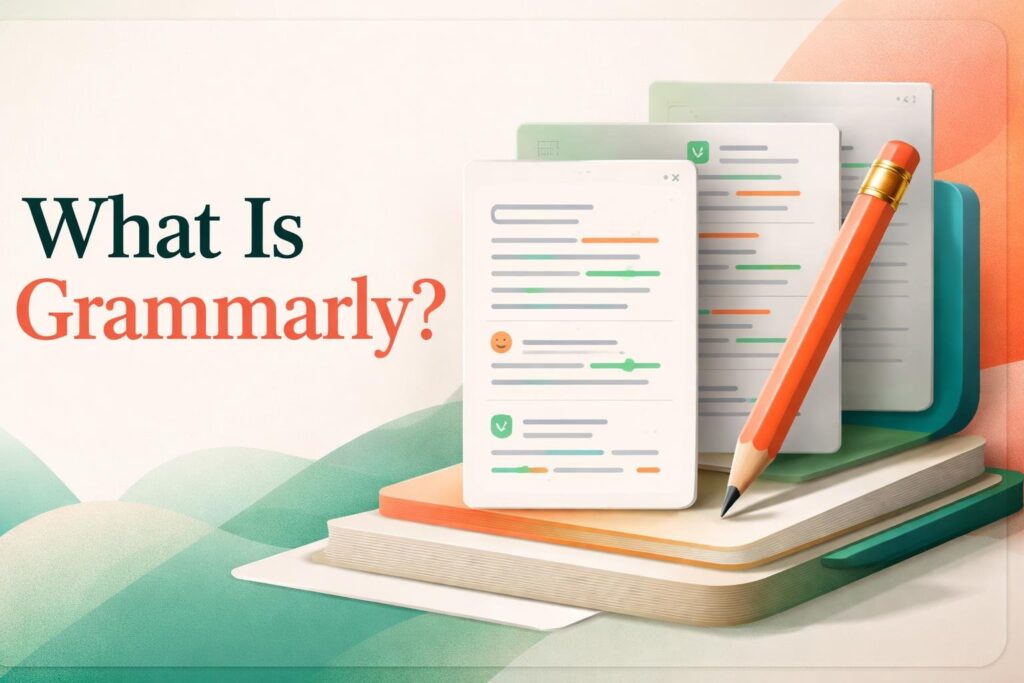
Grammarly is an AI writing assistant for drafting, reviewing, and improving written communication. It examines text and presents feedback or possible revisions that the writer can accept, reject, or adapt. Its core purpose is to make editing part of the writing process rather than a separate final check, whether someone is composing a message, preparing a document, or revising a longer draft.
The exact experience depends on where Grammarly is used and which plan is active. Some environments place assistance alongside the text being written, while Grammarly Docs provides a browser-based workspace. Unlike a broad conversational AI assistant, Grammarly’s main experience centers on evaluating and revising writing. Generative tools can also produce text, but their availability and usage allowances vary by plan.
How Grammarly works in a writing workflow
A typical workflow begins when a user writes or supplies text in a supported environment. Grammarly analyzes that text and presents interventions at relevant points in the draft. A simple issue may receive a compact correction, while a sentence-level concern may produce a more substantial rewrite. Tone-related feedback addresses how wording may come across to a reader rather than merely checking whether it is grammatically correct.
The important distinction is between analysis and authorship. Proofreading feedback reacts to text the user has already written. Rewrites offer alternative wording for an existing passage. Generative AI starts from an instruction and produces new text that can become part of a draft. These routes can overlap during editing, but they require different review decisions. Correcting punctuation is not the same as approving a newly generated paragraph, which may introduce claims, assumptions, or a voice that does not match the writer’s intent.
Grammarly Docs extends this process into a browser workspace where specialized AI agents can examine or transform a document. The writer still controls the revision cycle: inspect the proposed change, compare it with the intended meaning, keep useful language, and revise or discard the rest. That review is especially important when a full-sentence rewrite sounds smoother but changes emphasis, certainty, or technical meaning.
For practical use, writers can separate the process into passes. The first pass can address distracting mechanical issues. A second can focus on clarity, structure, and tone. Generative assistance is most useful as a distinct drafting pass, followed by a line-by-line check against the writer’s purpose and source material. This sequence prevents convenience from turning into automatic acceptance.
What Grammarly can and cannot replace
Grammarly can reduce the effort involved in polishing routine communication and finding passages that deserve another look. It is useful when the writer already understands the subject but wants help making the message clearer, more consistent, or better suited to its audience. It can also provide a starting point when wording stalls, provided the resulting draft is treated as editable material rather than a finished answer.
It cannot supply subject expertise merely by improving fluency. A polished sentence may still contain an incorrect date, unsupported conclusion, misleading citation, or inappropriate recommendation. When accuracy depends on external evidence, writers need to compare the draft with authoritative sources or use a separate source-linked research workflow. Citation assistance can help organize that work, but responsibility for confirming that a source supports a claim remains with the writer.
Editorial judgment also extends beyond correctness. Organization-specific terminology, legal requirements, academic rules, accessibility standards, and house style may call for choices that a generalized suggestion does not capture. Writers should evaluate whether a revision preserves necessary nuance and whether its tone suits the actual relationship between sender and reader. Teams may also need a defined approval process for sensitive or externally published material.
Context and data settings matter as well. Before entering confidential, regulated, or proprietary material, users should understand the controls available under their account and organizational plan. Grammarly documents data-use controls, training opt-out options, and additional administrative safeguards for organizations, but the applicable setup can differ by plan. New Grammarly Docs also has a narrower operating scope than the overall service: it currently supports English in desktop browsers and does not yet provide real-time collaboration. These boundaries determine where the tool fits into a workflow, not whether its suggestions should replace human review.
Key features
Proofreading and correctness
Checks spelling, grammar, punctuation, clarity, structure, and other correctness issues while users write or review a draft.
Tone assistance
Identifies how writing may sound to readers and can suggest adjustments intended to better match the desired tone.
Rewrites and personalized suggestions
Offers full-sentence rewrites and contextual writing suggestions that users can review before changing their text.
Generative AI drafting
Generates text from user instructions, with monthly prompt allowances that vary across Free, Pro, and Enterprise plans.
Originality checks
Provides AI-generated-text detection and plagiarism detection on Pro and higher plans.
Grammarly Docs and AI agents
Provides a browser-based document editor with agents for tasks such as proofreading, paraphrasing, citation discovery, reader reactions, grading, and AI-text detection.
Organizational administration
Offers plan-dependent controls including roles and permissions, SAML SSO, SCIM, confidential mode, data-loss prevention, audit logs, and enterprise key management.
Best use cases
Proofread everyday communication
Review emails, messages, documents, and posts for mechanical errors and potentially unclear wording before sending or publishing.
Revise clarity and tone
Evaluate whether a passage is easy to follow and adjust wording to better suit its intended audience.
Develop an editable first draft
Use generative assistance to create starting text, then verify its claims, voice, and relevance before adopting it.
Apply team writing controls
Support organizational writing workflows with plan-dependent administration, access controls, and security capabilities.
Pricing
The official plans page displayed USD pricing applicable to the United States. It listed a Free plan, Pro at $12 per month, and custom Enterprise pricing. A Pro trial was offered for $0 today, but its duration and complete post-trial terms were not stated. Regional eligibility for every plan was not separately confirmed.
Free
Pro
Enterprise
Pricing last verified 24 October 2026.
Important limitations
- Human review remains necessary. Suggestions, rewrites, and generated passages can change meaning or introduce unsupported material, so they do not replace expertise, fact-checking, or editorial judgment.
- Grammarly Docs has a narrower scope. The new Grammarly Docs experience is currently limited to English in desktop browsers and does not yet support real-time collaboration.
- AI access varies by plan. Monthly prompt allowances differ by plan, and some agents, detection tools, and advanced writing capabilities require a paid plan.
Who Grammarly is best for
Grammarly suits students, individuals, professionals, and teams that regularly write in English and want assistance during drafting or revision. It is strongest for users prepared to assess suggestions rather than apply them automatically. Organizations can consider its administrative plans when they need centralized controls. It is less suitable as a replacement for expert editing, fact-checking, source research, or real-time collaborative document work.
Pros and cons
Advantages
- Places writing feedback inside a broad range of browser, desktop, document, email, and mobile environments.
- Separates proofreading, tone support, rewrites, and generative drafting into distinct forms of assistance.
- Provides an ongoing free plan with core writing checks and a defined monthly AI prompt allowance.
- Offers administrative and security controls for organizations on applicable plans.
Tradeoffs
- Fluent suggestions and generated passages can still alter meaning or contain unsupported information, making careful human review essential.
- Grammarly Docs currently supports only English in desktop browsers and lacks real-time collaboration.
- AI prompt limits and access to advanced agents or detection tools depend on the selected plan.
Works with
Is Grammarly the right choice?
Grammarly is best suited to people who want writing assistance embedded in the places where they already compose and revise English text. Its value lies in shortening the distance between noticing a problem and considering a usable edit, while leaving the final wording under the writer’s control. The free offering provides a practical entry point, and organizational options extend the product into managed workplace use.
The principal trade-off is that convenience does not guarantee correctness. A confident rewrite can change nuance, and generated material may require factual or source verification. Grammarly Docs also remains more limited than a mature collaborative editor because of its current language, browser, and collaboration constraints. Grammarly therefore works best as an active revision partner rather than an autonomous editor: useful for surfacing options and accelerating routine improvement, but dependent on a writer who understands the subject, audience, and consequences of each change.
- Official website ↗
- Official pricing ↗
- Official features ↗
- Official features ↗
- Official features ↗
- Documentation ↗
Official source research. Facts last verified 24 October 2026. Platforms change their pricing and features without notice, so confirm current details with the provider before purchasing.