
Overview
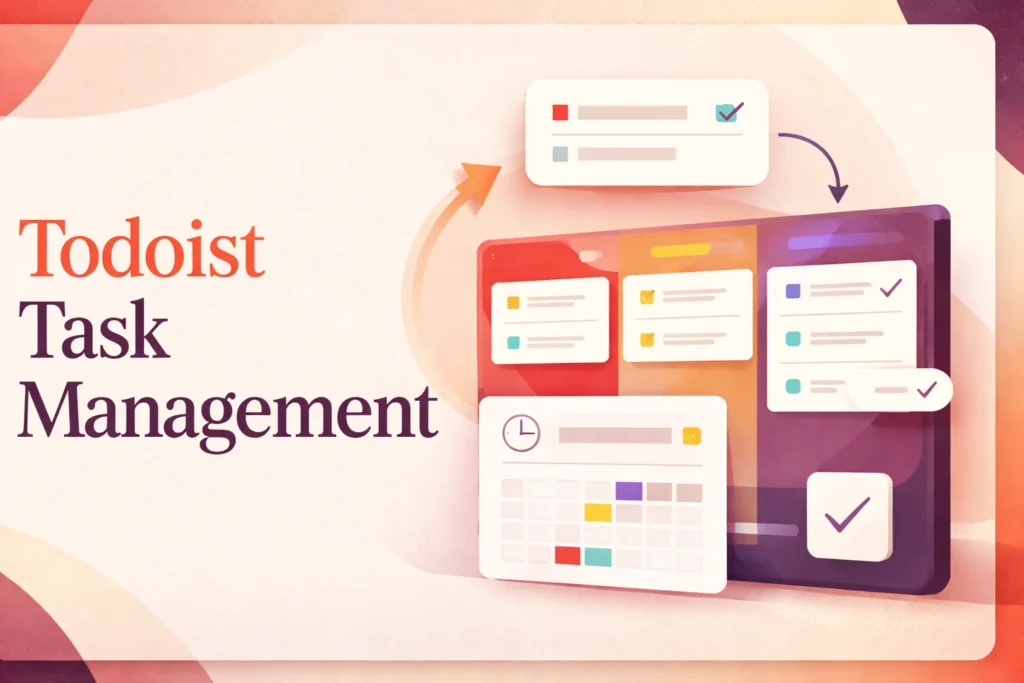
Todoist is a task-management platform for recording work, deciding when it matters, and following it through to completion. It can support a personal list, a collection of projects, or a shared workflow in which several people need clear ownership. The Todoist app is available across desktop, mobile, web, browser, and wearable environments, allowing the same task system to follow users between work contexts.
This page focuses on Todoist’s core task-management offering: how information moves from capture to completion, what changes when work is shared, and how to maintain a useful structure. It does not attempt to cover every adjacent service or integration available from the vendor.
How Todoist Fits a Task-Management Workflow
A practical Todoist workflow begins with capture. Instead of deciding where every thought belongs before recording it, a user can enter a task quickly and clarify it later. Natural-language entry can interpret scheduling details during capture, while supported capture tools also accept voice, text, images, and documents. This reduces the chance that deciding how to file an item becomes a barrier to recording it.
Organization happens after capture. Projects provide broad containers, while sections and sub-tasks divide work into smaller parts. Labels can describe context across multiple projects, and priorities distinguish important items without moving them into a separate structure. Filters then create selected views of the same underlying tasks. These constructs serve different purposes: a project answers where work belongs, a label describes a reusable characteristic, and a filter determines which matching tasks appear together.
Scheduling adds time to that structure. Dates and recurring dates place actions into a daily or repeating rhythm, while reminders, durations, deadlines, and calendar views add planning detail where the selected plan supports them. The distinction matters because a task’s due date can indicate when action is expected, whereas duration and calendar placement help reserve realistic time for doing it.
Review connects organization with execution. A daily view can surface immediate commitments, while filtered or project-based views reveal work that would otherwise remain hidden. Completing a task then updates the working record rather than merely removing an item from sight. For recurring work, completion advances the cycle so the task can return on its defined schedule. The value comes from using a small number of consistent structures, not from attaching every available property to every task.
Using Todoist for Shared Work
Shared projects turn an individual list into a visible coordination space. Tasks can be assigned to responsible people, while comments and file uploads keep task-specific context near the action it concerns. This is useful for handoffs because the recipient can see both the requested outcome and the discussion attached to it rather than reconstructing the request from separate messages.
Team workspaces add administrative structure through roles, permissions, activity records, and centralized billing. These controls help establish who can participate and make changes, but they do not define a team’s operating process. Members still need shared conventions for project names, task wording, priority use, and what completion means. Without those decisions, a shared workspace can make inconsistent work more visible without making it more coherent.
Assignments also need an explicit review rhythm. Giving a task an owner clarifies responsibility, but it does not determine when another person should approve the result or how stalled work should be escalated. Teams can address this by agreeing on where review tasks appear, how comments signal a blocked handoff, and which views are checked during regular planning sessions.
Todoist is consequently most natural for collaboration centered on actionable tasks and lightweight coordination. Teams that need extensive dependency management, portfolio reporting, or highly structured project governance may need to compare its task-focused model with broader project management software such as Asana. Teams that primarily organize work as movable visual cards may also find it useful to understand Trello’s board-based approach before choosing a working model.
Setup, Migration, and Long-Term Maintenance
An effective initial setup starts with the smallest structure that reflects real commitments. A personal user might begin with a few stable areas and an inbox for uncategorized tasks. A team can begin with one shared project representing an active workflow, then add sections only where they clarify stages, responsibilities, or types of work. Starting narrowly makes it easier to observe which distinctions people actually use.
Existing task lists should be cleaned before they become part of a new system. Duplicate actions, obsolete reminders, and vague entries create the same friction regardless of where they are stored. Rewriting an item as a concrete action and separating multi-step outcomes into sub-tasks can be more valuable than recreating an old folder structure exactly. Where source material cannot be moved directly, a staged transition also avoids importing a large backlog that nobody intends to review.
Long-term maintenance requires periodic decisions about structure. Projects should remain meaningful containers rather than permanent archives for every completed idea. Labels are easier to use when each has a defined purpose, and filters should answer recurring questions rather than duplicate default views. If a saved view is no longer checked, removing it can make the remaining system easier to trust.
Shared environments need additional housekeeping. Someone should own decisions about inactive projects, outdated conventions, access changes, and work that remains assigned after its context has disappeared. Activity records can help reconstruct what changed, but they do not replace routine review. Plan restrictions also affect maintenance: a structure that depends on extensive history, larger uploads, advanced planning views, or automatic backups should be matched to a plan that supports those requirements before the workflow becomes dependent on them.
The goal is not to preserve every task indefinitely. A dependable system keeps current commitments visible, retains enough context for responsible handoffs, and removes structures that no longer help people decide what to do next.
Key features
Flexible task capture
Create tasks with natural-language entry. Ramble and Task Capture Assist can also process supported voice, text, image, and document input, with usage depending on the plan.
Layered task organization
Arrange work through projects, sections, sub-tasks, labels, priorities, and list or board layouts.
Custom filtered views
Build filters that surface tasks matching selected criteria across projects, subject to plan-specific limits.
Scheduling and recurring work
Use due dates and recurring dates, with reminders, durations, deadlines, and calendar views available on qualifying paid plans.
Shared task ownership
Share projects, assign tasks, add comments, and attach files so responsibilities and task-specific context remain connected.
Team administration
Business workspaces support roles, permissions, activity logs, and centralized billing for coordinated team use.
Completion and activity tracking
Mark work complete and use available activity history to review changes and progress, with history depth varying by plan.
Best use cases
Personal task planning
Capture everyday commitments, organize them by area, and use dates, priorities, and recurring schedules to decide what to do next.
Recurring routines
Track repeating household, administrative, or professional actions without recreating each task manually.
Small-team coordination
Share projects, assign responsibility, and keep comments and files attached to the tasks that require action.
Cross-project focus views
Use labels and filters to gather related tasks from different projects into a focused working view.
Pricing
US pricing is shown in USD. Pro has a 7-day trial, while Business has a 14-day trial. Business is billed per user for each team, plus applicable local tax. Yearly plans are refundable within 30 days of purchase or renewal; monthly subscriptions are nonrefundable.
Beginner
Pro
Business
Pricing last verified 24 October 2026.
Important limitations
- Restricted Beginner capacity. The free plan allows 5 personal projects, 3 filters, 1 week of activity history, and 5 MB uploads, while excluding several advanced scheduling and backup features.
- Separate team billing. Business charges per user for each paid team. A person who belongs to multiple paid teams can therefore be billed more than once.
- Pro benefits are account-specific. A Pro subscription applies to one Todoist account and cannot be shared through Apple Family Sharing or Google Play Family Library.
Who Todoist is best for
Todoist suits individuals who want a structured but approachable system for personal tasks, recurring responsibilities, and daily planning. It also fits small teams whose coordination revolves around assignments, comments, and shared projects. Organizations needing deep portfolio controls, complex dependencies, or extensive governance may require a broader work-management platform.
Pros and cons
Advantages
- Supports quick capture and structured organization without requiring every task to follow a complex project template.
- Runs across major desktop, mobile, web, browser, and wearable environments.
- Combines personal task planning with shared projects, assignments, comments, and team administration.
- Provides an ongoing free plan and time-limited trials for both paid plan levels.
Tradeoffs
- The Beginner plan has tight project, filter, history, upload, scheduling, and backup restrictions.
- Business billing can charge the same person separately when they belong to multiple paid teams.
- Pro benefits cannot be shared with family members through Apple or Google family-sharing programs.
Works with
Is Todoist the right choice?
Todoist is a strong fit for people who want one consistent system for personal actions, recurring responsibilities, and modest shared workflows. Its structure can remain simple for an individual, yet projects, assignments, comments, and workspace controls provide room for teams to coordinate without abandoning the task-list model.
The principal trade-off is scope. Todoist centers work on tasks rather than providing the deeper portfolio governance, dependency modeling, or reporting expected from more elaborate project-management systems. Its free tier is useful for establishing a basic workflow, but several planning tools and broader capacity require a paid account. Business users must also examine team membership carefully because billing applies separately to each paid team. Choose Todoist when fast capture, dependable organization, and clear ownership matter more than running a highly governed project portfolio.
- Official website ↗
- Official pricing ↗
- Official FAQ ↗
- Integrations directory ↗
- Official source ↗
- Official features ↗
Official source research. Facts last verified 24 October 2026. Platforms change their pricing and features without notice, so confirm current details with the provider before purchasing.