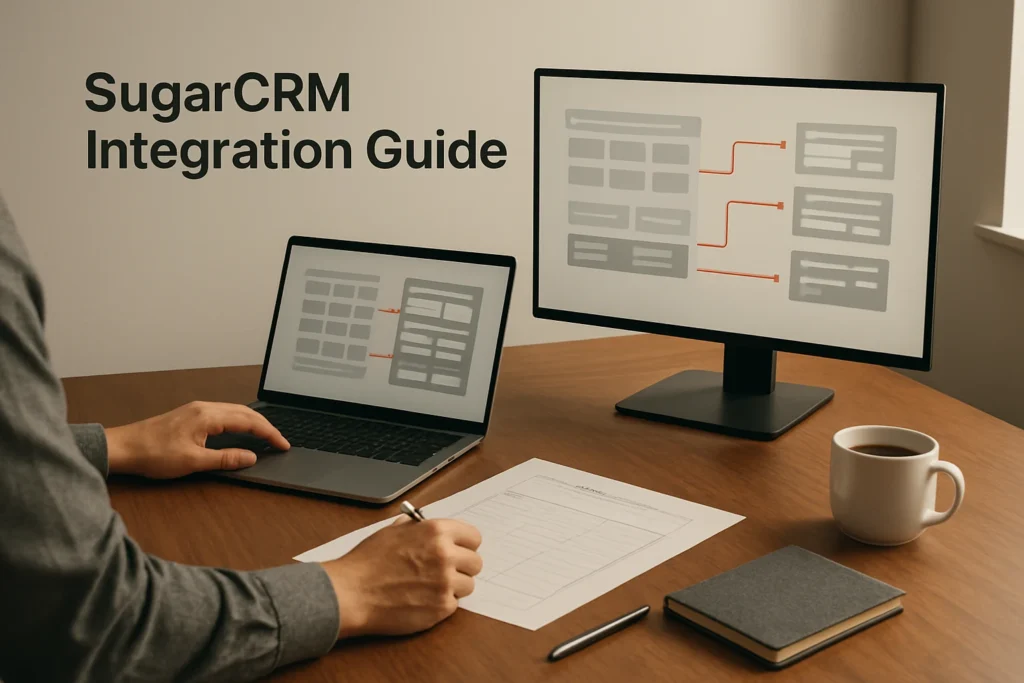
A SugarCRM integration connects CRM records or workflows with another business system. Start by choosing a supported marketplace add-on, another documented integration route, or a custom REST or SOAP API connection. The right choice depends on the systems involved, required records, sync direction, update timing and who will maintain it. Before production use, define ownership and matching rules, test representative records in a controlled scope, and confirm that creates and updates produce the intended result.
Choose the right SugarCRM integration approach
SugarCRM supports connectivity through marketplace add-ons, REST APIs, SOAP APIs and integration routes used with operational systems such as ERP environments. That provides several implementation paths, but the existence of an API or marketplace does not establish that a particular application, workflow or connector is supported under your deployment and contract.
| Approach | Best fit | Main decision |
|---|---|---|
| Marketplace or partner add-on | A documented connector already covers the required systems and records | Confirm supported Sugar release, deployment model, modules, sync direction and connector ownership |
| Integration platform | An integration service has a supported Sugar connector and the team needs reusable mapping or workflow orchestration | Check whether its triggers, actions, scheduling and error handling cover the intended process |
| Custom REST or SOAP API connection | The workflow requires custom records, transformations, timing or business rules | Assign technical ownership for authentication, development, monitoring and maintenance |
Decide first whether the connection is one-way or two-way. A one-way flow is usually easier to govern because one system clearly supplies the data. Two-way sync requires a source of truth for each shared field and a rule for conflicting updates. For example, the CRM might control sales ownership while another system controls subscription status.
Also list the record types and required update speed. A nightly accounting handoff has different needs from a near-real-time communications workflow. When assessing material described as SugarCRM 7+ integrations, treat the version label as a compatibility question rather than a guarantee. Confirm the connector’s supported Sugar release, deployment route and package in its current documentation. Official product pages also use the SugarAI name, so align legacy SugarCRM terminology with the product and edition named in your contract.
Prepare data, access and sync rules before connecting
Create a short integration specification before authorizing either system. It should identify the business purpose, record scope, field map, source of truth, matching logic, sync direction, timing and person responsible for failures. This prevents connector configuration from becoming the place where fundamental data decisions are made.
Prepare the following items:
- Authorized access with sufficient permission to establish the connection and work with the intended records in both systems. Use dedicated integration credentials where the chosen method supports them, and avoid granting access beyond the required scope.
- A record inventory covering the objects involved, such as accounts, opportunities or the records required by the external workflow. Do not assume every marketplace connector exposes every SugarCRM record type.
- A field map showing the source field, destination field, expected format, required status and transformation. Include controlled values such as statuses and country codes, not just text fields.
- Stable identifiers for matching existing records. Define what happens when an identifier is missing, duplicated or associated with several possible matches.
- Ownership rules for assigning new records and handling records whose expected owner is inactive or unavailable.
- A recovery plan that preserves a controlled source export where supported, records the initial configuration and explains how to pause the flow or reverse an incorrect batch.
Review the minimum customer data that must cross the connection. Consent-sensitive or confidential fields should not be synchronized merely because they are available. Document who can change the field map and how credential rotation, access removal and configuration changes will be managed.
Clean obvious duplicates and normalize important formats before the first run. Integration logic can move existing data problems faster; it does not inherently correct them. Establish baseline counts for the test population so you can reconcile how many records were created, updated, skipped or rejected.
Set up and test a SugarCRM integration
The exact controls depend on the selected connector or API implementation, but the following sequence provides a reliable path without assuming unsupported menu names.
- Select the documented connection method. Record the connector version or API route, its supported Sugar deployment and the external system it will connect. Confirm that it covers the required records and direction before configuration begins.
- Authorize both systems. Supply the credentials or authorization required by the connection method and grant only the access needed for the workflow. The successful result at this stage is an accepted connection to both endpoints, not yet an active production sync.
- Map records and fields. Pair each source field with the intended destination field. Configure necessary transformations for dates, controlled values and identifiers. Required destination fields must receive a valid value or have an intentional handling rule.
- Define synchronization behavior. Set the direction, eligible record population, creation and update conditions, and timing supported by the chosen method. For two-way sync, specify which system wins for each shared field and how conflicts are queued or reviewed.
- Run a limited test. Use a non-production environment if your implementation provides one. Otherwise, use clearly identified, low-risk test records and a tightly restricted sync scope. Include a new record, an existing match, a missing optional value and an intentionally invalid value.
- Inspect both systems. Check that the correct records were created or updated, identifiers were retained, owners and controlled values were assigned correctly, and invalid data followed the expected error path.
- Test an update and duplicate prevention. Change one mapped value in its designated source system and run the workflow again. Success means the intended record changes without producing an additional record or overwriting fields controlled by the other system.
- Enable the production scope gradually. Expand from the test population to a limited operational group, reconcile the results and then activate the intended workflow. Preserve the approved mapping and rules as the configuration baseline.
Illustrative lead-to-marketing example
Suppose a team wants an eligible SugarCRM lead to enter a marketing system. Its example map sends first name, last name, business email and the team’s campaign or source field. The business email or another agreed identifier participates in matching, while SugarCRM remains the source for the lead-source value.
Create a clearly labeled test lead, such as Morgan Reed at the fictitious company Northstar Components, and run the limited workflow. The illustrative success condition is one corresponding marketing record with the expected values. Then correct the source value in SugarCRM and run the workflow again. The existing destination record should change rather than a second record appearing. If a duplicate is created, stop expansion and revise the match key or update rule. This is an example test design, not a claim about the default behavior of a particular connector.
Finally, test the reverse direction separately if two-way sync is required. A connector that successfully sends records outward has not necessarily demonstrated that inbound updates, conflict handling or deletion behavior is safe.
Monitor the integration after launch
During the initial launch, reconcile source eligibility counts against records created, updated, skipped and failed. Totals alone are insufficient, so inspect representative records for field accuracy, ownership, relationships and controlled values. Review the error reporting or alerts provided by the selected connector or integration service and give each failure category an owner.
Failures should lead to a defined action. Correct malformed source data before retrying a validation error. Investigate permissions or expired authorization when access fails. Quarantine ambiguous matches rather than allowing the integration to guess. If duplicate volume rises, pause record creation and review the matching rules before processing more data.
Integration governance continues after launch. Revalidate mappings whenever a CRM field, sales process, external schema, connector or API implementation changes. Periodically test one create, one update and one known rejection. Keep configuration documentation, credentials ownership and escalation contacts current so the workflow does not depend on one administrator’s memory.
The practical next step is to write a one-page specification for a single high-value data flow, select the supported connection method, and prove that flow with a small test population. Expand only after record reconciliation and update testing show that the mapping, ownership and duplicate rules behave as intended.
Explore more technology guides on Techistuff.
Frequently Asked Questions About SugarCRM integrations
Do all SugarCRM integrations support two-way sync?
No. Sync direction depends on the particular connector or API implementation. Some connections send data in one direction, while others can update both systems. For two-way synchronization, define which system controls every shared field and how simultaneous or conflicting changes will be resolved.
Which fields should be mapped first?
Begin with fields needed to identify, route and use a record, such as a stable record identifier, name, business email, owner and lifecycle status where applicable. Add optional fields only after the essential mapping passes testing. A smaller initial map makes formatting errors and unintended overwrites easier to isolate.
How can a team prevent duplicate CRM records?
Choose a stable match key and define the behavior for exact matches, missing identifiers and ambiguous matches before launch. Test both record creation and record updates. Email can assist with matching in some workflows, but it may be shared or changed, so it should not automatically be treated as a universal unique identifier.
When is a custom API integration appropriate?
Consider an API-based connection when supported connectors cannot provide the required records, transformations, timing or workflow control. SugarCRM supports REST and SOAP APIs, but a custom integration also needs technical ownership for authentication, mapping, error handling, testing, documentation and maintenance after either connected system changes.