
Overview
Airtable is collaborative software that combines the familiarity of tabular data with tools for building connected, shared workflows. It is used to organize information, collect submissions, coordinate processes, and present relevant data to different participants without requiring every workflow to become a custom software project.
In practical terms, Airtable sits between a conventional spreadsheet and a configurable business application. Teams can structure records consistently, connect related information, and create different ways to work with the same underlying data. That flexibility supports anything from a personal tracker to a multi-team operational process, but it also means users must decide how their information and workflow should be designed.
How Airtable organizes information
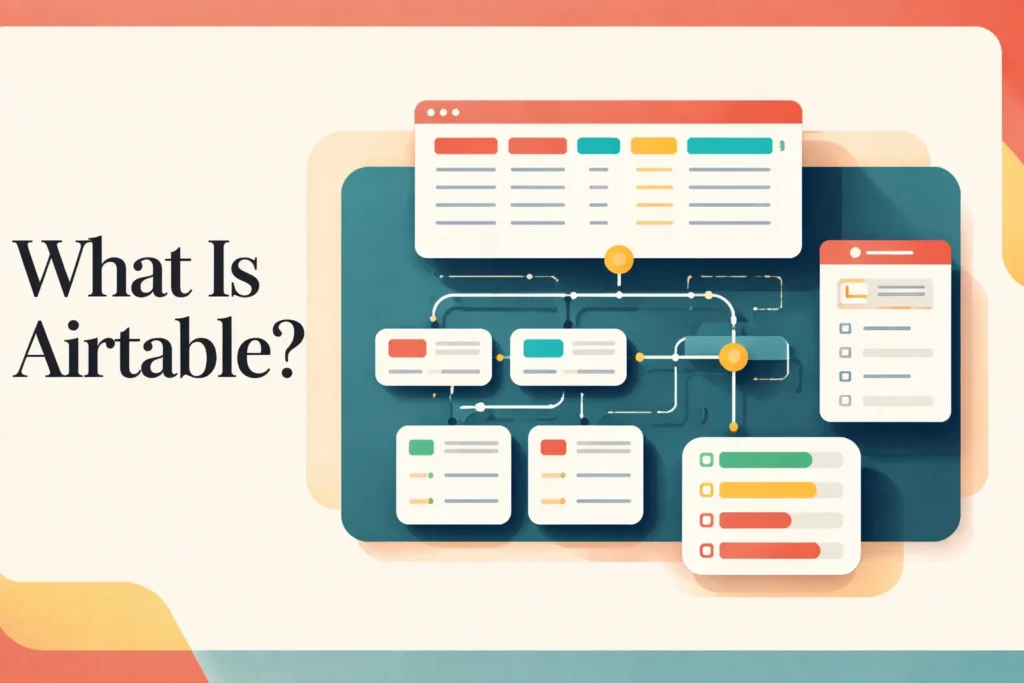
Airtable organizes work through a hierarchy of workspaces, bases, tables, records, and fields. A workspace groups bases for a team or area of work. Each base acts as a self-contained system for a process or body of information, while its tables separate distinct types of records. A content operation, for example, might use one table for assignments and another for contributors rather than placing every detail in a single flat sheet.
Records represent individual items, and fields define the structured values stored for those items. The important distinction from an ordinary spreadsheet is that a field has an intended role across the table, while linked-record fields can connect one record to another. Instead of repeatedly typing a contributor’s details into multiple rows, a team can connect assignments to a contributor record and maintain the shared information in one place.
Views do not create separate copies of the data. They provide different arrangements of the same table for particular needs, such as showing records on a calendar, grouping them as a Kanban workflow, or collecting entries through a form. Because people are working from common records, a change made through one view can affect what colleagues see through another. The availability of individual view types varies by plan.
Interfaces add another presentation layer. A base builder can expose selected information and controls in an experience designed for a role or task, rather than asking every participant to navigate the underlying tables. Separate interface sharing and interface-only users require a paid plan, so the intended audience and access model matter when a team designs its setup.
This model is flexible, but it is not self-defining. Someone still needs to choose the tables, field types, relationships, views, and ownership rules. Poorly separated tables or inconsistent fields can make reporting and automation harder later. For readers comparing configurable workspaces, the Notion workspace overview provides context on a separate product in this broader category.
How a team builds and runs a workflow in Airtable
A team can begin with a blank base or bring existing tabular information into Airtable through a CSV import. Importing transfers data, but it does not make all design decisions automatically. Builders must determine which columns should become structured fields, whether information belongs in separate tables, and where linked records should replace duplicated text.
The next step is to shape the base around how work actually moves. Builders create views that isolate relevant records, forms that collect standardized submissions, and interfaces that give particular roles a focused way to interact with the data. Contributors then update shared records rather than maintaining disconnected copies. Permissions can be applied at workspace, base, interface, and collaborator levels, allowing owners to distinguish people who build the system from those who edit, comment on, or read its contents.
Once the structure is stable, automations can respond to defined triggers with notifications, record changes, integration actions, or custom code. These rules help reduce repetitive handling, but they depend on the base’s structure and the quality of its data. A renamed field, changed status convention, or altered permission model can affect downstream behavior, so automations need an accountable owner rather than being treated as permanent background machinery.
Airtable manages the shared records, relationships, access controls, and configured actions. It does not decide which data a team should collect, resolve inconsistent working practices, or maintain the meaning of fields over time. Administrators should document key fields, control structural changes, review collaborator access, and monitor whether forms and automations still match the live process. Contributors remain responsible for timely and accurate updates.
As use expands, governance becomes more important. A small base may tolerate informal naming and overlapping views, while a larger operational system benefits from clear ownership, stable identifiers, defined permission boundaries, and a deliberate approach to API-connected processes. Existing CSV data can provide a starting point, but teams moving a relational workflow must reconstruct relationships and application logic rather than expecting a flat-file import to reproduce the complete system.
Key features
Relational data structure
Connect records across tables and use structured fields to maintain related operational information without repeating every detail.
Multiple table views
Display the same table through Grid, Form, Gallery, Kanban, Calendar, Timeline, or Gantt views, with availability varying by plan.
Custom interfaces
Build role-relevant experiences from base data. Interfaces are available on all plans, while separate sharing and interface-only users require paid plans.
Data collection forms
Create and share forms that add submissions to Airtable, with some form capabilities restricted to paid plans.
Workflow automations
Configure notifications, repetitive record actions, integration steps, and custom code, subject to plan-specific allowances.
AI-assisted workflow actions
Use Omni and AI-powered actions within workflows. Monthly AI credits depend on the plan, and additional capacity may require an upgrade or purchase.
Best use cases
Operational process tracking
Connect requests, owners, statuses, and supporting records in a shared system that reflects a team’s operating process.
Content and campaign coordination
Organize assignments, contributors, deadlines, assets, and publishing stages while presenting the same records through role-specific views.
Request and intake management
Collect standardized submissions through forms, route them into structured tables, and trigger configured follow-up actions.
Inventory or resource catalogs
Maintain structured records for resources and connect them to projects, owners, locations, or other related information.
Pricing
Official USD pricing applies to the United States market. On Team and Business, users with edit permissions are billable; read-only collaborators, form submissions, and share links are not charged. Charges are prorated. AI credits vary by plan, and additional credits may require an upgrade or purchase.
Free
Team
Business
Enterprise Scale
Pricing last verified 14 October 2026.
Important limitations
- No offline access. Airtable does not support offline use. Exported CSV files are the documented option for working with data offline.
- Fragmented CSV exports. CSV export operates one table at a time and does not include comments or extension content.
- Plan-dependent experiences. Some view and form capabilities vary by plan, while separate interface sharing and interface-only access are paid-plan features.
- Capacity allowances vary. Record, attachment, API, automation, revision-history, collaborator, and AI allowances depend on the selected plan.
Who Airtable is best for
Airtable suits individuals who need a structured tracker, small teams replacing scattered spreadsheets, and operational groups building shared processes around connected data. Larger organizations can use its administrative and enterprise options where governance requirements justify them. It is less suitable for work that must remain fully functional offline or for teams unwilling to design and maintain their own data model.
Pros and cons
Advantages
- Connected tables reduce repeated information and support workflows that outgrow a flat spreadsheet.
- Different views and interfaces let teams work from shared records without requiring identical layouts for every role.
- An ongoing Free plan provides a practical entry point for individuals and lightweight team workflows.
- Forms, permissions, automations, API access, and CSV workflows support processes beyond manual record keeping.
Tradeoffs
- The platform’s flexibility creates a setup and governance burden: teams must design relationships, naming rules, permissions, and maintenance responsibilities.
- Users with edit permissions become billable on Team and Business, which can raise costs as active participation expands.
- No offline mode makes Airtable a poor primary system for teams that regularly work without internet access.
- Table-by-table CSV exports do not preserve every part of a richer Airtable setup, complicating complete portability.
Is Airtable the right choice?
Airtable is a strong fit when a team needs more structure and connection than a conventional spreadsheet provides but still wants to configure its own operating process. Its relational model is particularly useful for work involving several related record types, multiple participant roles, or repeated intake and follow-up steps. Individuals and very small teams can begin with the Free plan, while paid tiers add capacity and access options for broader use.
The principal trade-off is that flexibility shifts design responsibility to the customer. A useful base needs deliberate tables, fields, relationships, permissions, and ownership, and those decisions require maintenance as the workflow changes. Costs can also grow when more participants need edit access. Airtable is therefore most compelling for teams prepared to treat their base as an operational system, not merely a more colorful spreadsheet. Offline-dependent work and effortless full-fidelity export are weaker fits.
- Official pricing ↗
- Documentation ↗
- Official features ↗
- Documentation ↗
- Documentation ↗
- Documentation ↗
- Documentation ↗
- Documentation ↗
Official source research. Facts last verified 14 October 2026. Platforms change their pricing and features without notice, so confirm current details with the provider before purchasing.