
Overview
The Bubble app builder is a visual development platform for creating full-stack web and native mobile applications without traditional programming. Bubble.io combines the parts needed to define an interface, store application data, run user-driven workflows, and deploy the resulting product. That makes it broader than a basic website builder or an isolated automation service.
Teams should evaluate the Bubble no-code platform when they need a custom application with its own users, records, permissions, and behavior. It can support a product from development through live operation, but the team still has to design the data model, establish access rules, test its logic, and maintain the application. The relevant question is therefore not only what is Bubble.io, but whether its hosted app model suits the project’s technical and operational requirements.
What You Build With Bubble and How the App Model Works
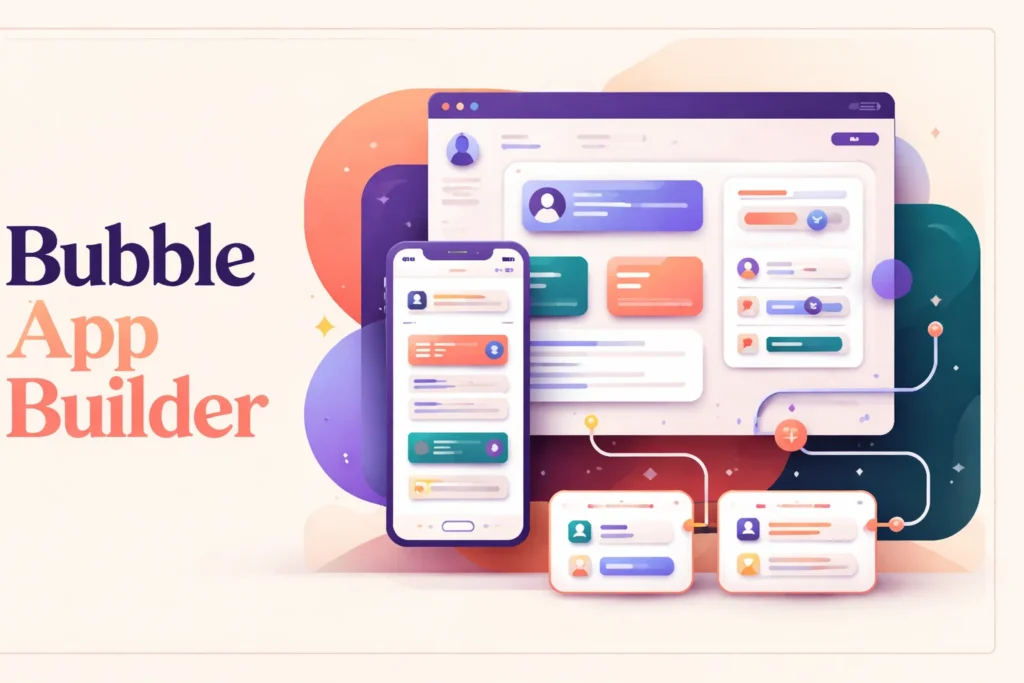
A Bubble application connects four layers: the visual interface, the underlying database, workflows that define behavior, and rules governing who can access data. A page might present a form, for example, while a workflow validates the user’s action and creates or updates a database record. Authentication identifies the user, and privacy rules determine which records that person can find, view, or change.
This model lets teams build web apps that behave like purpose-built software rather than collections of static pages. Interfaces can respond to user actions, workflows can run in the browser or on the server, and stored data can shape what each person sees. Scheduled workflows and API-triggered workflows also allow processes to continue without an open browser session. These pieces must be designed as one system: changing a data type can affect interface elements, workflow conditions, API responses, and permissions.
The Bubble no-code tool reduces the need to write conventional application code, but “no code” does not mean that architecture disappears. Builders still decide how records relate, when an action should run, which conditions prevent it, and how errors or incomplete inputs should be handled. Bubble supplies visual tools for expressing those decisions rather than generating a complete application from an idea without configuration.
Extensibility matters when the application must communicate with an external service or perform behavior that is not available through its visual tools. Bubble exposes data and workflow APIs, supports webhook endpoints, and provides an API Connector and plugin system. JavaScript can extend plugin elements and actions, although that work requires coding skills. Before committing, teams should verify that required services can be reached through an available plugin or a compatible API.
What Teams Need to Manage After Building an App
Bubble manages the hosted platform and provides the editor, deployment tooling, debugging functions, server logs, and version-control capabilities described for eligible plans. The customer remains responsible for how the application is designed and configured. That division is important: managed hosting removes server administration, but it does not validate business logic or guarantee that a data rule matches the organization’s policy.
Data protection starts with the application’s structure. Teams must configure privacy rules for record visibility, searches, attached files, and permitted changes. Workflow conditions, authentication choices, and API permissions require the same attention. A screen that hides a field is not a substitute for a server-enforced privacy rule, so access should be tested with different user roles and account states before deployment.
Changes also need a controlled release process. A modification to a shared workflow can affect multiple pages, while a database change may alter existing searches or integrations. Development and version-control tools can support testing, but the team must decide what to test, review the result, and coordinate releases. Server logs and debugging tools help investigate behavior after the fact; they do not replace test cases or operational ownership.
Integrations create another maintenance boundary. API credentials can expire, external schemas can change, webhooks can fail, and plugins may introduce their own dependencies or subscription costs. Someone must monitor these connections and decide how the app should respond to delayed, duplicated, or invalid data. Workload consumption also needs attention because browser activity, server workflows, and web and mobile usage contribute to the project’s cumulative workload.
Growth planning therefore involves more than upgrading capacity. Teams should review database design, workflow frequency, file storage, user permissions, external dependencies, and release practices as adoption expands. Bubble provides the runtime, but the application remains an operational product that needs an owner.
When Bubble Is a Better Fit Than Simpler No-Code Tools
Bubble is most relevant when a project needs a custom interface, persistent application data, authenticated users, and behavior tailored to a particular process. Examples include a customer portal, a marketplace, an internal operations application, or an early software product. In these cases, assembling pages, records, permissions, and workflows inside one application can be more coherent than connecting several single-purpose tools.
A simpler category may be preferable when the requirement is narrower. A site builder can be sufficient for publishing mostly informational pages. A database-oriented tool may suit teams that mainly need structured records and internal views. If the primary goal is moving information between existing services, a dedicated workflow automation platform may solve the problem without creating and maintaining a standalone application.
The decision also depends on the team’s tolerance for application ownership. Bubble removes much of the conventional coding and infrastructure work, but builders still need systems thinking: they must model data, reason through states and conditions, protect information, test releases, and diagnose unexpected behavior. More customization creates more decisions to maintain.
Portability should be considered before the application becomes business-critical. Bubble allows data export, but it does not provide an export of the application’s executable code. Moving to another runtime therefore requires rebuilding the application logic rather than transferring a conventional source-code project. Bubble is a stronger fit when its managed environment and visual development model provide enough value to justify that dependency.
Key features
Visual application editor
Build user interfaces and application behavior visually for full-stack web and native mobile projects.
Built-in data and authentication
Store application records and manage authenticated users within the same hosted application environment.
Application workflows
Define user-triggered behavior, scheduled server-side processes, recurring workflows on eligible plans, and API-triggered actions.
Privacy rules
Control data visibility, searches, file access, and permitted changes according to configured conditions.
Deployment and operating tools
Deploy web applications, connect custom domains, debug behavior, inspect server logs, and use version-control capabilities available to the project’s plan.
APIs and code extensibility
Connect through data APIs, workflow APIs, webhooks, the API Connector, and plugins that can use JavaScript for custom elements and actions.
Best use cases
Customer and partner portals
Create authenticated applications that present records, forms, and actions according to each user’s access rules.
Marketplace applications
Build custom experiences that coordinate different user roles, stored listings, and application-specific workflows.
Internal operations software
Develop purpose-built tools for managing structured records and multi-step business processes.
Early-stage software products
Create and deploy a customized web or native mobile product without first assembling a conventional application stack.
Pricing
Plans are purchased per project rather than per user. Paid plans bundle monthly workload units, with additional workload tiers or overages available; extra file storage and plugin subscriptions can add costs. Annual billing can save up to 20%. The inspected page uses a $ symbol, but its currency and United States applicability were not independently confirmed, so paid monetary amounts are omitted here.
Free
Starter
Growth
Team
Enterprise
Pricing last verified 12 October 2026.
Important limitations
- No application-code export. Bubble applications run on Bubble, and their executable application code cannot be exported. Data can be exported, but moving the application logic requires a rebuild.
- Paid deployment requirements. Live web and mobile deployment requires a paid plan. Native mobile publishing also requires the customer to maintain the relevant Apple or Google developer account and follow store processes.
- Workload-based cost exposure. Web and mobile activity contributes to cumulative project workload. Higher usage can require additional workload tiers or overage charges.
- Customer-managed security configuration. Teams must correctly configure privacy rules, authentication, workflow conditions, and API permissions; the hosted platform does not remove this application-security responsibility.
Who Bubble is best for
Bubble suits founders, product teams, agencies, and internal operations groups that need a custom application rather than a static site or isolated automation. It is less suitable for teams requiring portable application source code or those unwilling to own data modeling, permissions, testing, integration maintenance, and workload management.
Pros and cons
Advantages
- Combines interface design, data, workflows, authentication, hosting, and deployment in one app-building environment.
- Privacy rules can control record visibility, searches, files, and permitted changes.
- APIs, webhooks, plugins, and JavaScript extensions provide routes beyond purely visual configuration.
- The ongoing free plan supports development, debugging, API connections, and on-device mobile testing before live deployment.
Tradeoffs
- Applications depend on Bubble’s runtime because executable application code cannot be exported.
- Live deployment requires a paid plan, while native store publishing also depends on external developer accounts and review processes.
- Workload-based usage can create additional charges as application activity grows.
- The customer remains responsible for configuring privacy, authentication, workflow conditions, and API permissions correctly.
Works with
Is Bubble the right choice?
Bubble is a strong fit for teams that need a genuine custom application but want to replace much of the conventional coding stack with visual development. Its value is greatest when the project requires connected interfaces, persistent data, user accounts, permissions, and tailored behavior—not merely a website or a few automated handoffs.
The principal trade-off is long-term platform dependency. Bubble manages the runtime and gives builders an integrated route from development to deployment, but customers still own application architecture, security configuration, testing, integrations, and usage management. They also cannot export the executable application code if they later choose another runtime. Teams comfortable with that operating model can use Bubble to develop substantial products without assembling separate infrastructure. Organizations that require source-code portability, direct control over hosting, or minimal ongoing application maintenance should evaluate a different architecture before committing.
- Official website ↗
- Official pricing ↗
- Documentation ↗
- Documentation ↗
- Documentation ↗
- Documentation ↗
- Documentation ↗
Official source research. Facts last verified 12 October 2026. Platforms change their pricing and features without notice, so confirm current details with the provider before purchasing.