
Overview
Zapier is an automation platform that connects supported services and runs defined, repeatable workflows between them. Instead of moving information manually or asking developers to build every connection, users configure rules that tell Zapier when a process should begin and what should happen next. That is the practical answer to “what is Zapier?”
What does Zapier do in day-to-day work? It coordinates actions across connected accounts, such as passing submitted information to another system or prompting a follow-up step. What Zapier is used for depends on the process being automated, the services involved, and the available connectors. App availability, workflow complexity, execution frequency, and account allowances should be checked before treating an automation as production-ready.
How Zapier automations work
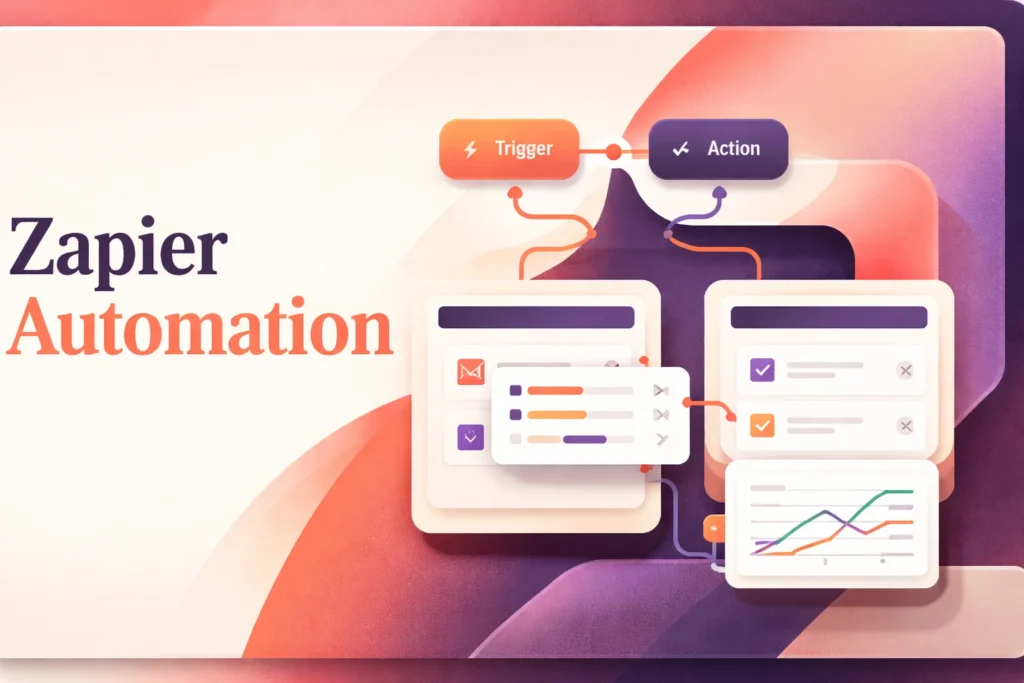
A Zapier automation begins with a trigger: an event that tells the workflow to start. The trigger might represent a new or updated item in a connected service. Designers must also decide whether a process should begin from an app event or according to a schedule, then verify that the required trigger and timing are available for their setup.
After the trigger, one or more actions tell connected services what to do. A simple workflow has one trigger and one action. A multi-step workflow can pass the output of an earlier step into later steps, allowing a single event to coordinate several parts of a process. Each account must be authenticated, and the person building the workflow chooses which incoming fields should populate the destination fields.
Workflow logic determines whether every run follows the same route. Filters can stop processing when defined conditions are not met, while conditional paths can send different records through different sequences. Formatting steps can reshape values before another service receives them. These controls make Zapier automation more flexible, but they also create more rules to test and maintain.
Illustrative pattern: a submitted record starts a workflow, selected values are reformatted, a condition determines the appropriate route, and a connected system receives the resulting data. This example describes a general workflow pattern rather than guaranteed compatibility with any particular service or plan.
Testing should confirm more than whether each step runs once. It should cover missing fields, unexpected values, duplicate events, expired permissions, and cases that follow different paths. The workflow builder also needs to understand which successful actions count toward usage. A Zap can therefore be technically correct while still producing an unsuitable result if its rules, mappings, or assumptions do not reflect the real process.
What users still need to manage
Zapier executes the instructions configured in a workflow; it does not decide what an organization’s process should be. Users remain responsible for defining when a record is ready to move, which system owns each field, how exceptions should be handled, and who may approve changes. Unclear business rules become unclear automation rules.
Source-data quality matters for the same reason. Required values can be blank, names may use inconsistent formats, and fields can change meaning over time. Validation in the source system, carefully chosen conditions, and representative test records reduce the chance that a valid automation run creates an invalid business outcome. Sensitive data also requires deliberate choices about which fields pass between accounts.
Connected accounts need ongoing attention. Authentication can expire, an administrator can revoke access, or an app owner can rename or remove a field used by the workflow. Teams should assign ownership for credentials and avoid depending on an individual account that may disappear when someone changes roles. Access in each connected service remains governed by that service, not by the automation alone.
Dependable operation also requires reviewing failed or paused runs, investigating changed inputs, and watching task consumption. More complex workflows may have several points where a changed field or rejected request can interrupt processing. Monitoring should therefore include both technical execution and the downstream result. A successful run only proves that configured steps completed; it does not prove that the underlying process was correct.
When Zapier is the right type of tool
Zapier is strongest when a repeatable process crosses supported systems and can be expressed as events, conditions, data transformations, and actions. It can be more practical than relying on each application’s internal automation when work must move across several accounts. Native automation may still be simpler when the entire process remains inside one product.
Custom API development offers greater control over specialized logic, performance, testing, and failure recovery, but it also requires engineering and maintenance. Zapier can reduce that implementation burden when its connectors, webhooks, and workflow controls meet the requirement. Processes with unusual protocols, strict latency needs, or deeply customized behavior may still justify custom software.
A workflow-integration service is also different from a standalone no-code application builder. Zapier can orchestrate work and includes adjacent tools for forms and stored data, but it does not automatically replace the interfaces, permissions, and data model of a purpose-built application. The decision should account for process complexity, required control, expected volume, compatibility with the systems involved, and the team’s ability to own the automation after launch.
Key features
Trigger-action workflows
No-code workflows called Zaps connect supported apps and start actions when defined events occur.
Multi-step workflow logic
Workflows can combine multiple steps with filters and conditional paths for processes that need more than one fixed action.
Data formatting and webhooks
Formatting tools can prepare values for later steps, while webhooks support workflows that need compatible web requests.
Tables and Forms
Zapier includes Tables for stored workflow data and Forms for collecting information into custom processes.
AI orchestration tools
The platform includes AI-related capabilities through Agents, Chatbots, MCP, SDK access, AI tools, and AI fields in workflows.
Team and enterprise controls
Higher-level plans add shared resources, permissions, SAML SSO, administrative controls, deployment options, and observability.
Best use cases
Sales record handoffs
Move defined information between supported sales and business systems when a qualifying event occurs.
Marketing workflow coordination
Connect repeatable intake, list-management, notification, and follow-up steps across supported marketing services.
Operations data routing
Format incoming values, apply conditions, and route records to the appropriate connected process.
Form-driven internal workflows
Collect information with Forms, store relevant records in Tables, and use submissions to initiate defined actions.
Pricing
United States pricing in USD. Annual prepayment saves 33%, although the annual Professional price was not confirmed. New accounts automatically receive a 14-day Professional trial without a payment method. A 15% nonprofit discount applies to paid plans, excluding pay-per-task charges.
Free
Professional
Team
Enterprise
Pricing last verified 23 September 2026.
Important limitations
- Task consumption varies. Successful actions consume tasks, while AI models, code runtime, and connector types can affect overall usage.
- Limit handling can increase costs or stop work. Reaching an allowance can lead to higher-rate pay-per-task billing or paused workflows, depending on account settings.
- The free plan restricts workflow depth. Free accounts are limited to two-step Zaps, 100 monthly tasks, one seat, and 15-minute polling.
- Important capabilities depend on the plan. Premium apps, shared resources, advanced administration, SSO, and observability are tied to paid or higher-level plans.
- Specialized connections may need technical work. Processes not covered by a suitable connector may require webhooks, private integrations, the SDK, or custom development.
Who Zapier is best for
Zapier suits individuals and teams with repeatable processes that span supported web services, especially when they want to configure automation without building every integration. It fits teams prepared to define rules, maintain account access, monitor usage, and investigate failures. Highly specialized, latency-sensitive, or deeply customized systems may require dedicated engineering instead.
Pros and cons
Advantages
- A catalog of more than 9,000 app integrations supports a wide range of cross-service workflows.
- No-code configuration makes straightforward automation accessible without a custom integration project.
- Conditional logic, formatting, and webhooks accommodate processes beyond basic one-action workflows.
- Team and enterprise options provide shared resources and stronger administrative oversight.
Tradeoffs
- Task-based metering can become difficult to predict when workflows contain several successful actions or AI and code steps.
- Accounts can incur pay-per-task charges or have workflows paused after reaching configured task limits.
- The free plan's two-step workflow restriction makes it unsuitable for more involved automations.
- Premium connectors and advanced governance capabilities require paid or higher-level plans.
- Unsupported or highly specialized systems may still require webhooks, SDK work, or custom development.
Works with
Is Zapier the right choice?
Zapier is a strong fit for teams that need repeatable work to move across supported services without maintaining a custom integration for every process. Its main value is accessibility: operational users can describe a process as a sequence of events, conditions, and actions, while larger organizations can introduce shared ownership and oversight as adoption expands.
The principal trade-off is that ease of configuration does not remove operational complexity. Multi-step processes can consume tasks quickly, and dependable workflows still require clear rules, stable permissions, representative testing, and ongoing monitoring. Compatibility also matters more than the size of the integration catalog alone; each required trigger, action, and field must suit the intended process. Zapier is most compelling when those requirements are well understood and its task model remains predictable. Specialized behavior or strict technical control may justify a custom integration instead.
Official source research. Facts last verified 23 September 2026. Platforms change their pricing and features without notice, so confirm current details with the provider before purchasing.