
Overview
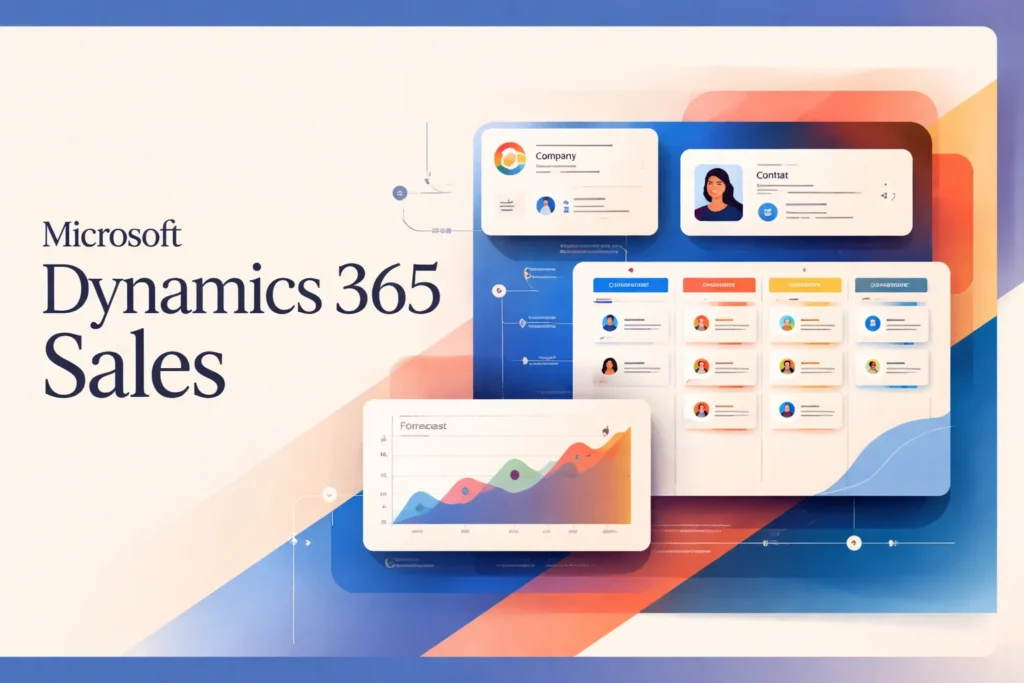
Microsoft Dynamics 365 Sales is Microsoft’s sales-focused CRM application. It gives sales organizations a structured place to manage customer and company records, leads, opportunities, activities, forecasts, and related revenue work. The product is intended to connect the information sellers use with the processes managers need to monitor, rather than leaving pipeline data across personal files and disconnected tools.
The scope is specifically Dynamics 365 Sales, not every application carrying the Dynamics 365 name. Functions available to a team depend on its Sales edition, configuration, capacity, and connected Microsoft services. That distinction matters when evaluating advanced intelligence or designing handoffs to departments that use separate business applications.
How Microsoft Dynamics 365 Sales supports the sales process
A typical workflow starts by creating or receiving a lead and associating it with the available customer context. Sellers can review the record, address duplicates, assign ownership, and qualify suitable leads into opportunities. Qualification is more than a status change: it provides a controlled point at which an early inquiry becomes pipeline work that the organization intends to track.
Accounts and contacts supply the relationship structure around that work. An account can represent the customer organization, while contact records identify the people involved. Activities and sales records then preserve operational context so that another authorized user can understand what is happening without relying entirely on the original seller’s memory.
Once an opportunity is active, a team can apply defined stages, expected close dates, probabilities, and ownership rules. Those elements help sellers determine what should happen next and allow managers to inspect pipeline movement consistently. The value depends on disciplined updates: a stage model cannot provide reliable visibility if users leave dates, probabilities, or outcomes stale.
Forecasts, goals, dashboards, charts, and operational metrics aggregate the underlying records for management review. They can support pipeline meetings and help managers distinguish individual deal updates from wider patterns. Advanced forecasting, predictive scoring, sales sequences, conversation intelligence, and other intelligence functions are plan- or capacity-dependent, so teams should map required workflows to the applicable edition before treating them as part of the standard operating model.
Dynamics 365 Sales also manages quotes, orders, and invoices as sales records. Organizations still need to define when ownership passes from sales to fulfillment, finance, or another team. The CRM can preserve the commercial context, but it does not decide the organization’s approval policy, delivery process, or accountability model.
What implementation and administration involve
Implementation begins with process decisions rather than screen configuration. The organization needs to define what counts as a lead, when qualification occurs, which opportunity stages are meaningful, who owns each record, and what information is mandatory. Configuring fields and stages before agreeing on those definitions can reproduce existing inconsistencies inside a new system.
Existing data also needs preparation. A migration team should identify authoritative sources, map fields, normalize common values, resolve duplicates, and decide how much historical material remains useful. Administrators should validate the supported transfer and export methods for their environment before setting a cutover plan. The CRM can hold organized records, but it cannot determine which conflicting source is correct.
Dynamics 365 Sales administration involves Dataverse and Power Apps considerations as well as application-level setup. Security roles require deliberate design so sellers, managers, administrators, and other participants receive appropriate access. Custom fields and processes need ownership and change control; otherwise, local requests can gradually create duplicate concepts, unclear reports, and difficult upgrades.
Reporting governance is equally important. Managers should agree on definitions for pipeline value, stage progression, forecast categories, and close outcomes before using dashboards as management controls. The team responsible for reports must also understand how incomplete or inconsistent records affect the resulting view. Connecting Power BI can extend analysis, but it does not remove the need for stable definitions and maintained source data.
Integration work should have a named owner for authentication, field mapping, error handling, and operational monitoring. Microsoft 365 alignment may simplify the surrounding technology decision for some organizations, but administrators still need to establish how identities, permissions, and business records interact. Training should cover both interface use and the organization’s process rules, because knowing where to edit a record is not the same as knowing when or why to update it.
After launch, administration becomes an ongoing function. Teams need a route for requesting changes, a way to test them, and periodic reviews of permissions, data quality, reports, and user adoption. Organizations without internal capacity may need implementation or partner support, particularly when the CRM must reflect several sales motions or tightly governed processes.
When Dynamics 365 Sales is the right CRM choice
The strongest fit is an organization that already treats Microsoft business software as a strategic environment and needs a governed, configurable sales process. Existing Microsoft identity, productivity, analytics, and administration practices can make Dynamics 365 Sales a coherent architectural choice, provided the organization has people who can own configuration and data quality.
Process complexity is another decision factor. Multiple teams, formal qualification rules, management forecasting, detailed permissions, or carefully controlled stages can justify a platform with substantial administrative depth. A small team seeking only a shared contact list and simple pipeline may find that depth disproportionate to its needs.
Buyers should document required outcomes before selecting an edition. This is especially important when the desired workflow relies on advanced intelligence, capacity-limited functions, or additional Microsoft licensing. They should also draw a clear boundary around the sales application and identify which post-sale, service, marketing, or financial responsibilities belong elsewhere.
Organizations still calibrating the appropriate level of CRM complexity can use the separate overviews of Less Annoying CRM and SugarCRM as reference points when forming a shortlist. The central question is not simply whether Dynamics 365 Sales can be configured for a process, but whether the organization can govern that configuration and sustain consistent use.
Key features
Customer and sales records
Manage accounts, contacts, leads, opportunities, quotes, orders, and invoices within a connected sales data structure.
Lead qualification
Assign and qualify leads, detect duplicates, apply predictive scoring where licensed, and convert qualified leads into opportunities.
Pipeline and forecasting
Track opportunity stages, close dates, probabilities, goals, and forecasts to support seller execution and management review.
Sales engagement tools
Use capabilities such as the sales accelerator and sequences to organize prioritized seller activity; availability varies by edition and capacity.
Reporting and analysis
Review dashboards, charts, operational metrics, and forecasts, with Power BI available for extended analysis.
AI-assisted sales work
Supported Copilot and agent functions can assist with research, summaries, email drafting, opportunity insights, and recommended actions, subject to licensing requirements.
Best use cases
Lead-to-opportunity management
Standardize how sellers receive, assign, review, qualify, and convert leads into active sales opportunities.
Complex pipeline governance
Apply shared opportunity stages, ownership, probabilities, and close dates across teams that need consistent pipeline controls.
Sales forecasting
Combine opportunity data, goals, forecasts, dashboards, and operational metrics for structured management reviews.
Microsoft-centered sales operations
Run customer and revenue workflows alongside Microsoft 365 and Power BI within a Microsoft-oriented business environment.
Pricing
United States pricing in USD. Listed per-user monthly rates are paid yearly; applicable taxes may be additional, and prices are subject to change.
Dynamics 365 Sales Professional
Dynamics 365 Sales Enterprise Edition
Dynamics 365 Sales Premium
Microsoft Relationship Sales
Pricing last verified 26 October 2026.
Important limitations
- Substantial edition differences. Professional, Enterprise, and Premium do not provide identical capabilities, and some Premium functions available to Enterprise users have limited monthly capacity.
- Additional AI requirements. Premium Sales agent functionality requires Microsoft 365 Copilot, while some Copilot-related usage may require Copilot Credits.
- Administrative overhead. Effective deployment requires Dataverse and Power Apps administration, security-role design, customization governance, data management, and user training.
- Yearly payment for listed editions. Microsoft presents the standard US per-user monthly rates for Professional, Enterprise, and Premium on a paid-yearly basis.
Who Microsoft Dynamics 365 Sales is best for
Dynamics 365 Sales suits midsize and large organizations that need configurable, governed sales processes and can support ongoing CRM administration. It is particularly relevant to teams already invested in Microsoft business software. Very small teams seeking a simple, low-maintenance contact and pipeline tool may find its licensing and administrative depth excessive.
Pros and cons
Advantages
- Connects detailed customer, lead, opportunity, and downstream sales records in one governed CRM structure.
- Supports formal pipeline, forecasting, reporting, and sales-management workflows.
- Fits organizations already operating within Microsoft 365, Power BI, Dataverse, and related Microsoft services.
- Provides several editions for organizations with different automation, customization, and intelligence requirements.
Tradeoffs
- Important forecasting, intelligence, engagement, and AI capabilities depend on the selected edition, capacity, or additional Microsoft licensing.
- Implementation and long-term operation can require significant Dataverse, Power Apps, security, data-governance, and training expertise.
- The published US rates for the three standard editions are paid yearly, which may not suit buyers seeking flexible monthly billing.
Works with
Is Microsoft Dynamics 365 Sales the right choice?
Microsoft Dynamics 365 Sales is a strong candidate for organizations that want a configurable sales CRM within a broader Microsoft technology environment. Its structured records, process controls, management visibility, and extensibility can support sophisticated sales operations, particularly where permissions, reporting definitions, and pipeline governance matter.
The principal trade-off is operational complexity. Edition selection affects access to advanced capabilities, while some AI functions introduce additional licensing or usage requirements. The platform also needs capable ownership across administration, security, data quality, process design, and training. That investment can be justified for organizations with formal sales operations and established Microsoft expertise. Teams with straightforward pipelines, limited implementation capacity, or a preference for low-maintenance software should assess whether a simpler CRM would meet their needs with less overhead.
- Official pricing ↗
- Documentation ↗
- Documentation ↗
- Documentation ↗
- Documentation ↗
- Documentation ↗
- Documentation ↗
- Documentation ↗
Official source research. Facts last verified 26 October 2026. Platforms change their pricing and features without notice, so confirm current details with the provider before purchasing.