
Overview
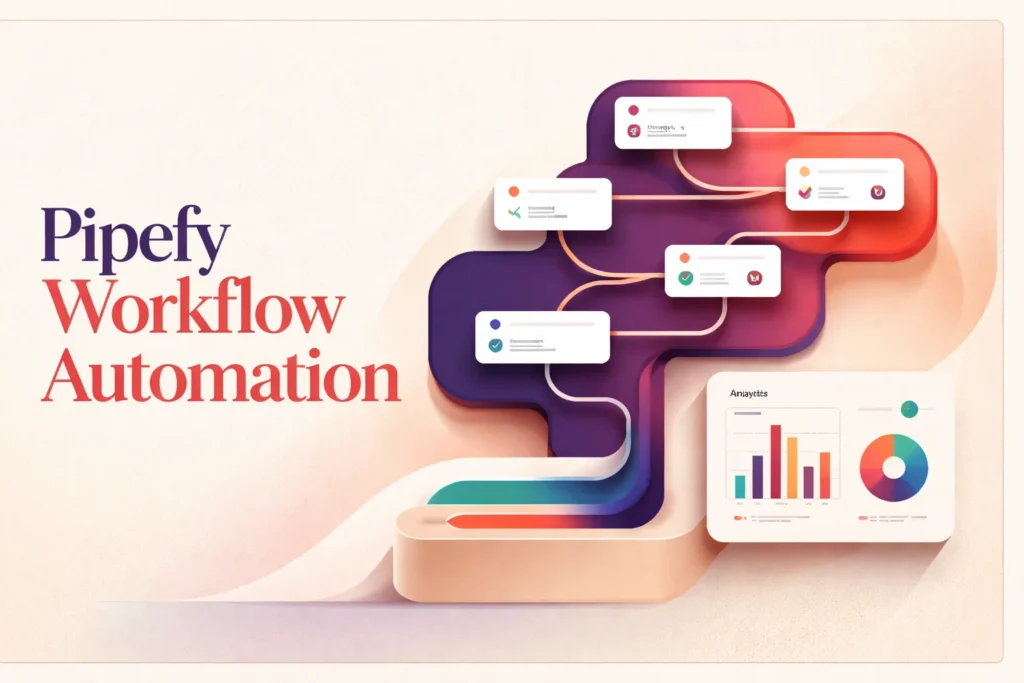
Pipefy is a workflow automation platform for turning repeatable business processes into structured, trackable operations. It is intended for work that arrives as a request, passes through defined steps, requires clear ownership, and benefits from consistent routing or oversight. Typical examples include procurement requests, employee onboarding, service operations, and other cross-functional procedures.
The emphasis is process orchestration rather than unrestricted software development. Teams configure how work should enter, progress, and conclude instead of creating an entirely custom application architecture. Organizations needing deeper control over interfaces and data models may also evaluate a broader no-code app builder such as Zoho Creator. Pipefy’s available controls, capacity, and governance options depend on the selected plan and implementation.
How Pipefy structures business processes
A useful Pipefy implementation begins with the operating process, not the software screen. The team first defines what starts the work, which information must be collected, who owns each decision, and what constitutes completion. Intake can then be structured so that requests arrive with enough context for the next person to act, rather than through disconnected messages or informal spreadsheets.
Each request becomes a managed work item that can progress through the workflow. Stages should correspond to meaningful operational states, such as initial review, clarification, execution, or completion. Assignments establish responsibility, while required information helps prevent work from advancing without the details another participant needs. If approval is involved, the process owner must define who can decide, what evidence that person receives, and how rejected or incomplete work returns for correction.
Visibility is most valuable when it answers operational questions. A process manager may need to see where requests accumulate, while an individual contributor needs a clear view of assigned work. Executives may care about cycle time or service performance rather than every record. Those perspectives require deliberate definitions; placing an existing process into a workflow does not automatically make its metrics meaningful.
Fit therefore depends on whether the real process can be expressed through governed intake, states, ownership, and routing. Highly fluid work with no repeatable path may resist this structure. Conversely, forcing every exception into a single rigid route can create unnecessary administration. Teams should model the common path while providing controlled ways to handle legitimate exceptions.
Automation and connected systems
Automation is most effective when it removes predictable coordination work. A workflow can react to a defined event by routing an item, updating information, sending a notification, or alerting the responsible team. Conditional rules can account for differences such as request type or business unit, but every additional branch increases the need for testing and ownership.
Connections to other systems require a separate design decision. A native integration offers a predefined connection for a supported service, while Zapier, an API, HTTP requests, or custom integration work may provide more flexibility. A dedicated integration automation platform such as Workato may be more appropriate when system-to-system data movement and centralized integration governance are the primary requirements rather than managing the business process itself.
Regardless of connection method, the implementation team must validate authentication, access rights, field mapping, and data formats. It should also decide which system owns each piece of information. Allowing two systems to overwrite the same field without a clear source of truth can produce inconsistent records even when the connection operates as configured.
Error handling deserves the same attention as the successful path. External services may be unavailable, credentials can expire, and incoming values may fail validation. Teams should determine how failures become visible, who investigates them, and whether an action can be retried safely. Webhook-based or API-led designs also need confirmation of the applicable plan, authentication method, and operational limits before deployment. Pipefy can coordinate connected work, but it cannot remove dependencies imposed by an external system.
Implementation and ongoing process management
Pipefy supplies the environment for managing workflows, but the customer remains responsible for translating policy into a workable configuration. A named process owner should control definitions, resolve disagreements about the intended path, and decide when a change is justified. Platform administrators can then implement those decisions through workflow configuration and access controls.
Permissions should follow operational responsibility. Participants need enough access to complete their work without receiving unnecessary visibility into sensitive requests. Role design becomes especially important when a process spans departments, includes guest participants, or handles confidential information. Training should cover not only where to click but also when to update a request, how to record an exception, and which communication belongs inside the managed process.
Configuration changes need a controlled release practice. Teams should test routing, required information, notifications, permissions, and connected-system behavior with representative scenarios before changing a live process. Testing should include rejected, incomplete, duplicated, and delayed requests rather than only an ideal successful case.
Ongoing management also depends on data quality and shared reporting definitions. Missing or inconsistent values weaken dashboards and make lead-time comparisons unreliable. Process owners should periodically review stalled work, unusual exceptions, failed automation, access assignments, and whether reported metrics still reflect the operating objective. This maintenance turns a configured workflow into a dependable business process rather than a static digital form.
Key features
Configurable process workflows
Teams can structure operational processes with customizable workflows, forms, portals, records, and conditional logic without building a conventional application from scratch.
Process automation
Rules can support routing, notifications, emails, database updates, SLA alerts, and connections between workflows.
Structured request intake
Public shareable forms, portals, and request tracking provide managed entry points for employees, customers, guests, or other participants.
Permissions and governance
Available controls include private workflows, role-based access, and restrictions governing who can view or edit individual cards, with availability varying by plan.
Operational reporting
Dashboards, productivity measurements, lead-time metrics, activity logs, and data export help teams monitor process activity and investigate performance.
Templates and collaboration
Process and email templates support repeatable setup and communication, while activity tracking and messaging options help participants coordinate work.
Best use cases
Procurement request management
Collect purchase requests, route them through internal review, assign responsibility, and track progress through a consistent operational process.
Employee onboarding
Coordinate tasks and information across HR, IT, managers, and other participants while keeping ownership and status visible.
Service request operations
Provide structured intake for internal or external requests, direct work to the appropriate team, and monitor handling time.
Repeatable cross-functional processes
Replace informal email and spreadsheet coordination with defined stages, assignments, rules, records, and shared process visibility.
Pricing
Paid pricing is available through Contact Sales. Pipefy states per-user billing with monthly or yearly contracts, but the inspected page does not confirm currency, regional applicability, plan-specific prices, or minimum commitments. Each plan includes 1,000 single-use AI credits, with additional credits available as add-ons.
Starter
Business
Enterprise
Pricing last verified 21 October 2026.
Important limitations
- Starter capacity is tightly capped. The free plan limits processes, users, monthly cards, workflows, database records, storage, automation jobs, and API calls, restricting its suitability for active production use.
- Advanced controls depend on the plan. Higher limits, broader integrations, SSO, 2FA, white labeling, custom email domains, and expanded governance are tied to higher plans, configuration, add-ons, or negotiated terms.
- Included AI usage is finite. Plans include 1,000 single-use AI credits, and organizations requiring more must purchase additional credits as add-ons.
Who Pipefy is best for
Pipefy suits operations, procurement, HR, finance, and shared-service teams that manage repeatable requests across multiple participants. It is strongest when work needs structured intake, ownership, routing, and oversight. Teams seeking unrestricted interface development or a dedicated integration layer for complex system-to-system data movement may need a different platform.
Pros and cons
Advantages
- Combines structured intake, workflow routing, permissions, and operational visibility in one process-management environment.
- Supports no-code configuration while retaining API, HTTP request, Zapier, and custom integration options for connected workflows.
- Provides an ongoing free plan that teams can use without supplying a credit card.
- Offers governance controls and reporting capabilities suitable for processes involving multiple teams and responsibilities.
Tradeoffs
- Starter's low monthly automation and API allowances can constrain even modest production workflows.
- Important security, integration, governance, and capacity options require higher plans or negotiated enterprise terms.
- Included AI usage is credit-limited, so sustained use may require separately purchased add-ons.
Works with
Is Pipefy the right choice?
Pipefy is a strong fit for teams that need to replace loosely coordinated requests with a defined operational process. Its central value is not unrestricted application development but the ability to give recurring work consistent intake, ownership, routing, governance, and visibility. That makes it particularly relevant to cross-functional operations where email and spreadsheets no longer provide dependable accountability.
The principal trade-off is that practical capacity and administrative depth depend heavily on the selected plan. The free tier can support evaluation or a small process, but its automation, API, record, and activity limits narrow its production scope. More advanced security and integration requirements may also move an organization toward negotiated terms. Pipefy is therefore most compelling when a team has a clearly understood process and is prepared to own its design, permissions, exception handling, and ongoing maintenance.
Official source research. Facts last verified 21 October 2026. Platforms change their pricing and features without notice, so confirm current details with the provider before purchasing.