
Overview
Workato is an enterprise automation and integration platform for connecting systems and coordinating multi-step business processes. It gives teams a recipe-based environment in which an event in one system can initiate data processing, decisions, and actions across other systems.
What does Workato do in practice? It orchestrates work that would otherwise require manual handoffs or separately maintained integrations. A workflow might receive a business event, map its data into the required format, apply conditional logic, update several applications, and record whether the process completed successfully.
Its core role is broader than a simple point-to-point connector, but it is not the same as building a standalone business application or automating every desktop interaction. Workato provides the orchestration environment, connectivity options, execution controls, and governance tooling. Customers still need to design the process, authorize connections, validate data, and confirm that their selected plan supports the required capabilities and usage.
How Workato automations connect business systems
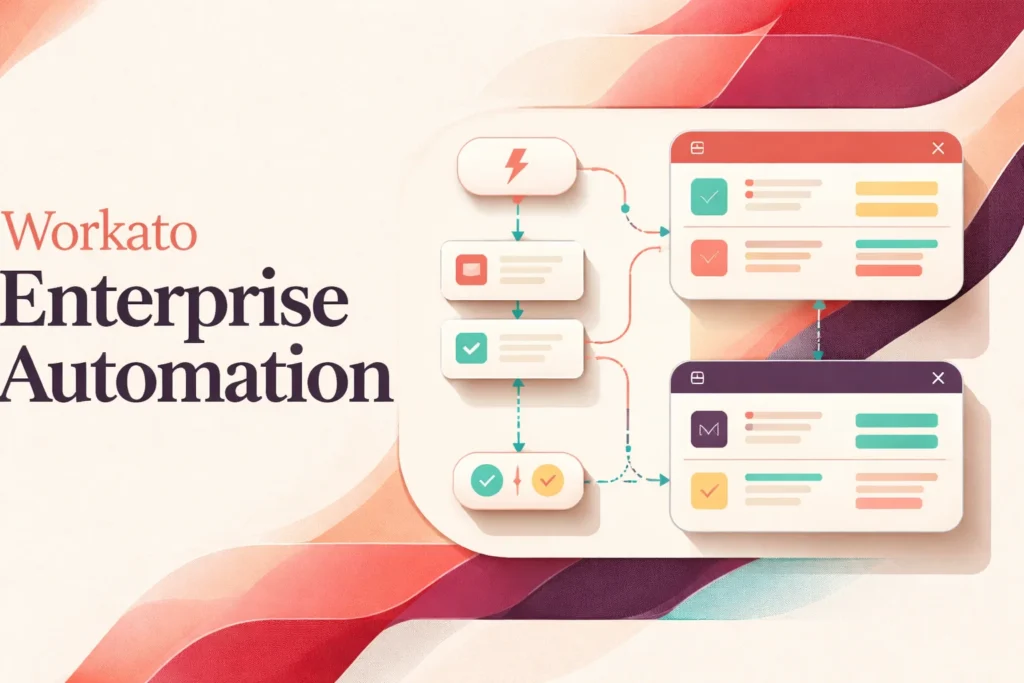
A Workato automation is called a recipe. Each recipe starts with a trigger: an event or condition that tells the platform when to begin. Depending on the connector and configuration, that trigger can poll for new records, respond in real time, follow a schedule, receive a webhook, expose an API-driven entry point, or react to change data capture.
The trigger supplies data that subsequent steps can use. Workato represents available fields as datapills, which builders map into actions or manipulate with formulas. This creates a translation layer between systems with different field names, structures, and formatting requirements. The recipe can then evaluate conditions, branch into different paths, repeat steps in loops, or call reusable recipe functions rather than duplicating common logic.
Actions carry out the business process. They might create or update a record, send information to another application, call an API, or pass data into a downstream recipe. Prebuilt connectors simplify supported interactions, while API, webhook, database, file, and private-network options cover cases that require a different integration method. Availability and authentication requirements still depend on the target system, connector, and Workato plan.
Completion is not just the final action. Workato records jobs and supports logging, alerts, retries, recovery paths, and controls that stop processing when a workflow should not continue. Those mechanisms let a team decide whether an error should be retried, routed for review, skipped under defined conditions, or treated as a failed job. The right behavior depends on the consequences of partial completion.
What teams need to manage when using Workato
Workato operates the automation environment, but it cannot determine which accounts should have access to business data or whether a source record is correct. Administrators and process owners must configure connector authentication, assign suitable permissions, protect credentials, and review access when people or system accounts change roles. Private-network connections may also require an authorized on-premises agent that the customer maintains.
Data quality needs equal attention. A technically valid workflow can still produce a bad outcome when required fields are empty, identifiers do not match, or two applications use incompatible status values. Teams should define validation rules, transformation logic, duplicate handling, and ownership for rejected records before moving an automation into production.
Testing should cover more than the successful path. Builders need representative data, boundary cases, permission failures, API throttling, unavailable systems, and partially completed transactions. For processes with financial, customer, or employee consequences, the team should also decide whether reversing an earlier action is possible and who can authorize a manual correction.
Once a recipe is active, job history, logs, alerts, retries, and audit information support operational oversight. Customers must still decide who watches those signals, how quickly failures require attention, and when repeated errors should pause processing. Webhook-driven workflows deserve particular care because event delivery behavior can differ from polling-based triggers, and HTTP webhook triggers may not provide equivalent backup polling.
Connected systems also change. Vendors revise APIs, administrators alter fields and permissions, and business teams update process rules. Change management therefore needs version control practices, documented dependencies, controlled deployment, and regression testing. Workato provides governance mechanisms such as role-based access, approvals, workspace administration, secrets management, and usage controls, but each organization must configure them around its own responsibilities and risk model.
Where Workato fits among automation tools
Workato is principally suited to integration-led automation: processes in which several systems, data structures, decision points, and organizational owners must work together. Its recipe model combines connectivity with orchestration, making it relevant when a workflow must do more than copy a value from one application to another.
Lightweight automation services can be easier to adopt for small, isolated workflows with limited governance needs. Readers assessing that end of the category can use the Zapier automation platform overview as a separate reference point. Workato becomes more relevant as processes require reusable logic, structured administration, error recovery, API access, auditability, or coordination across departments.
Robotic process automation addresses a different technical problem when software must interact with a user interface instead of a supported connector or API. Custom application development is also distinct: developers building a complete product must design its interface, data model, deployment, and user experience, while Workato focuses on orchestrating processes among systems. Standalone integration products may move and transform data effectively without providing the same emphasis on business workflow logic.
The organizational fit depends on operating discipline as much as technical reach. Workato is strongest where business and technical stakeholders can jointly define process ownership, security, exception handling, and lifecycle management. It may be excessive when a team needs only a few uncomplicated connections, or unsuitable when required systems cannot provide dependable APIs, webhooks, database access, files, or another supported integration route.
Key features
Recipe-based workflow automation
Recipes combine triggers, actions, conditional branches, loops, reusable functions, and formulas to coordinate multi-step processes.
Multiple trigger models
Supported recipes can use polling, real-time events, schedules, webhooks, APIs, or change data capture, depending on the connector and configuration.
Enterprise system connectivity
Prebuilt connectors and other integration methods connect supported applications, APIs, databases, files, and private-network systems.
Data mapping and transformation
Datapills and formulas let builders map, format, and transform structured data as it moves between workflow steps.
Failure handling and monitoring
Retries, recovery logic, alerts, logs, stop-job controls, job history, and audit records support operational monitoring.
Administration and governance
Role-based access, approvals, workspace administration, secrets management, encryption, auditability, and usage controls support governed automation.
AI workflow capabilities
Workato provides AI-assisted recipe generation, AI workflows, agent orchestration, AI gateways, MCP support, and enterprise AI governance.
Best use cases
Cross-system process orchestration
Coordinate a business process that needs to validate data, apply decisions, and perform actions across several applications.
Application and data synchronization
Move and transform records between supported systems while applying mapping, validation, and duplicate-handling rules.
Approval and operational workflows
Route events and information through conditional steps, notifications, approvals, and downstream updates.
API-led workflow delivery
Invoke recipes through supported APIs or webhooks and expose governed automation to other applications.
Pricing
US self-service pricing uses credits shared across workflows, API calls, rows, document processing, and agent activity. Pro customers select a monthly credit limit at signup, and unused Pro credits do not roll over. Enterprise terms are custom.
Workato Free
Workato Pro
Workato Enterprise
Pricing last verified 6 October 2026.
Important limitations
- Shared credit consumption. Workflows, API calls, processed rows, document processing, and agent activity draw from the same credit pool, and unused Pro credits do not roll over.
- Plan-dependent private connectivity. On-premises connectivity is restricted to eligible pricing plans or contracts and requires an authorized agent for private-network systems.
- Webhook delivery considerations. Webhook-based triggers can experience dropped events, and HTTP webhook triggers may not have the backup polling behavior available to many other real-time triggers.
Who Workato is best for
Workato suits business, IT, operations, integration, and development teams that jointly manage processes spanning multiple systems. It is strongest when organizations need governed workflow orchestration, reusable integration logic, monitoring, and controlled access. Teams seeking only a few simple connections or a standalone application builder may find its operating model more extensive than necessary.
Pros and cons
Advantages
- Combines system integration, multi-step workflow logic, monitoring, and governance in one automation environment.
- Supports prebuilt connectors alongside APIs, webhooks, databases, files, and eligible private-network connections.
- Provides branching, loops, formulas, reusable functions, and recovery controls for complex processes.
- Offers role-based administration, approvals, auditability, secrets management, and workspace-level controls.
Tradeoffs
- The shared credit model spans several activity types, and unused Pro credits do not roll over, which can complicate consumption planning.
- On-premises connectivity is limited to eligible plans or contracts and adds an agent that customers must maintain.
- Webhook-triggered processes need careful failure design because events may be dropped and HTTP webhooks may lack backup polling.
Works with
Is Workato the right choice?
Workato is a strong fit for organizations that need to coordinate consequential processes across multiple business systems rather than automate isolated personal tasks. Its recipe model supports a useful balance between visual workflow construction and the technical controls needed for data mapping, API access, reusable logic, failure handling, and governed operation.
The principal trade-off is operational and commercial complexity. Teams must understand credit consumption, confirm plan-dependent capabilities, and assign clear ownership for authentication, testing, monitoring, data quality, and system changes. Webhook reliability and private-network requirements also need deliberate engineering. Workato is therefore most compelling when business and technical stakeholders can manage automation as a shared operational capability. A team with only a handful of simple connections may not benefit from the same depth, while cross-functional processes with governance and recovery requirements are more aligned with the platform’s strengths.
- Official website ↗
- Official features ↗
- Official pricing ↗
- Documentation ↗
- Documentation ↗
- Documentation ↗
- Official features ↗
- Documentation ↗
- Documentation ↗
- Integrations directory ↗
Official source research. Facts last verified 6 October 2026. Platforms change their pricing and features without notice, so confirm current details with the provider before purchasing.