
Overview
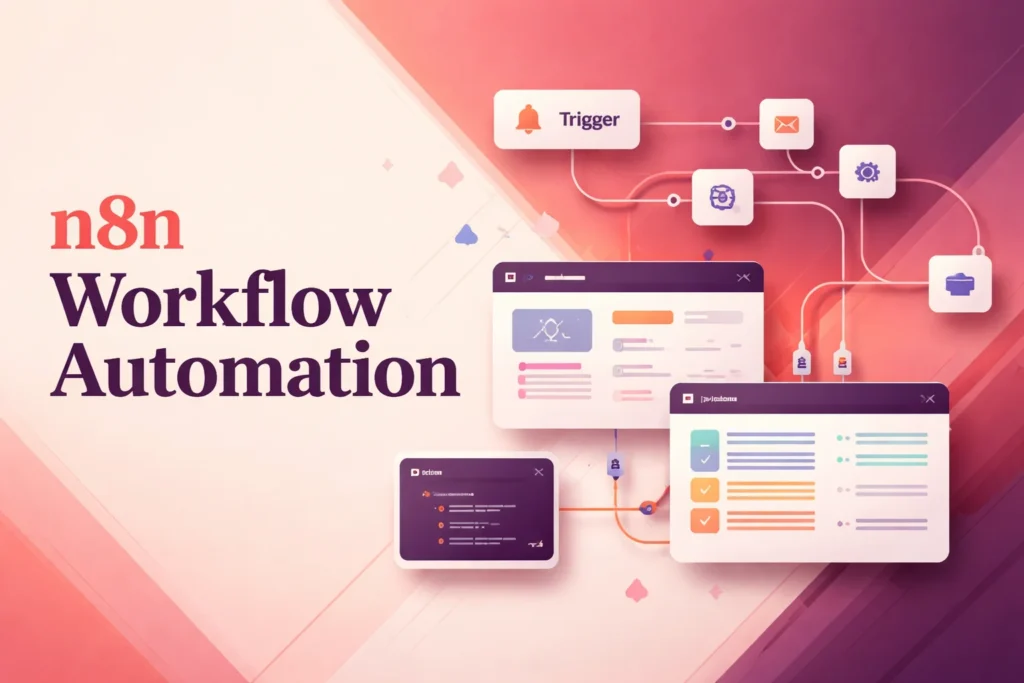
n8n is a workflow automation platform for connecting applications, APIs, and operational processes. It lets teams assemble multi-step workflows visually, supplement them with code, and run them through an n8n-hosted service or a self-managed deployment. So, what is n8n in practical terms? It is an orchestration layer: instead of replacing the systems where work happens, it coordinates how information and actions move between them.
The platform is suited to processes that need more than a single connection, including webhook-driven operations, custom API requests, data handling, debugging, and AI-related workflows. What does n8n do particularly well? It gives technically capable teams several ways to build and operate connected processes without requiring every integration to be a standalone software project. Deployment options, infrastructure controls, execution allowances, and collaboration features vary by plan, so those conditions matter when evaluating a production setup.
How n8n workflows automate connected processes
An n8n workflow represents a process as a sequence of connected steps. The process needs an initiating event, followed by one or more operations that receive information, act on it, or pass it onward. A webhook can provide that starting event when another system sends a request. Subsequent steps can use pre-built nodes, HTTP or GraphQL requests, custom API connections, or JavaScript and Python code where the process needs tailored logic.
The important distinction is that orchestration concerns the whole path rather than an isolated app connection. One step may obtain a record, another may reshape the incoming data for a different system, and a later step may submit a request or start another operation. Conditional decisions can divide a conceptual process into different paths, while a timed process depends on a schedule as its initiating condition. Each path should define what information it expects and what should happen when that information is incomplete or rejected.
Data movement is therefore inseparable from workflow design. Connecting two endpoints does not guarantee that their fields, formats, or identifiers match. Visual construction helps show the order of operations, while code steps and custom requests provide additional control when a pre-built connection does not cover the required transformation. Credentials and endpoint permissions still have to be valid in every participating system.
Failure handling also belongs in the workflow design rather than being treated as an afterthought. n8n provides execution logs, replay or mock data, step reruns, and workflow history for inspecting behavior. These tools help an operator identify which step failed and reproduce relevant conditions, but they do not remove the need to decide whether a failed operation should be retried, corrected, escalated, or stopped. A workflow is production-ready only when its expected inputs, failure paths, and recovery responsibilities are understood.
Who n8n is for and when its approach fits
n8n is strongest for teams that can combine process knowledge with technical implementation. An operations specialist may define the business sequence, while a developer, automation engineer, or technically experienced administrator handles APIs, credentials, payload structures, code, and deployment choices. The visual builder reduces the amount of conventional application code needed for many processes, but the platform still rewards familiarity with how connected systems exchange data.
This approach fits recurring processes that span several services, require custom requests, or need detailed inspection when something goes wrong. It can also suit organizations that want to operate the software in their own environment rather than use only a vendor-hosted service. Access to the relevant systems remains essential: n8n cannot perform an action that the supplied account or API credential is not permitted to perform.
It is less natural when the requirement is to build a complete end-user application with its own interface, data model, and user experience. n8n coordinates processes; it is not primarily a standalone no-code app builder. A very simple connection between two widely supported applications may also be easier to operate in a more constrained automation service, particularly when nobody on the team wants to maintain custom logic or troubleshoot payloads.
Teams comparing the amount of visual control and technical involvement they need can also examine Make workflow automation and Zapier automation. The useful comparison is not simply which service has more connectors. It is whether the intended process needs custom code, deployment control, complex orchestration, or a deliberately simpler operating model.
Deployment, maintenance, and operational responsibilities
n8n offers hosted cloud plans as well as self-hosted deployment. With an n8n-hosted plan, the service provides the application environment, allowing a team to concentrate on configuring workflows rather than installing the underlying platform. That convenience comes with boundaries: cloud users cannot customize several infrastructure-level settings, including domains, database backends, queue mode, worker count, and execution timeouts.
Self-hosting shifts those infrastructure decisions to the organization running n8n. Officially documented options include Docker, cloud-provider deployments, command-line or API control, and source access through GitHub. This route can provide more deployment flexibility, but someone must operate the environment, apply updates, configure the runtime, monitor availability, and investigate platform-level failures. Those duties are separate from maintaining the workflows themselves.
The commercial plan structure also affects deployment. Starter and Pro are hosted by n8n, while Business is currently self-hosted only. Enterprise can be hosted or self-hosted. That means a team should choose its operating model and plan together rather than selecting a feature tier first and assuming it is available in either environment.
Regardless of hosting model, workflow ownership remains an ongoing task. Credentials can expire, API behavior can change, expected data can drift, and an external service can reject a request. Operators should use execution records and debugging controls to distinguish a workflow design problem from an unavailable endpoint or invalid credential. They should also review execution and concurrency allowances against real process volume, because paid plans meter monthly workflow executions even though they include unlimited users, workflows, steps, and integrations.
The practical n8n meaning is therefore broader than connecting applications on a canvas. It includes designing the process, selecting a deployment model, granting appropriate system access, monitoring runs, and maintaining the automation as participating systems change. Teams prepared to own those responsibilities can use n8n as a flexible coordination layer; teams without that operational capacity may benefit from a narrower managed approach.
Key features
Visual workflow construction
Build multi-step automations visually and coordinate operations across connected systems.
Code and custom requests
Add JavaScript or Python steps and make HTTP or GraphQL requests when a workflow needs custom logic.
Pre-built and custom connections
Use more than 500 pre-built integrations and nodes or connect services through their APIs.
Webhook and API orchestration
Receive webhooks and use queues, APIs, command-line controls, and workflow templates to coordinate processes.
Execution debugging
Inspect execution logs, replay or mock data, rerun steps, and use workflow history to diagnose behavior.
Hosted or self-managed deployment
Run n8n Cloud or deploy the platform in a self-hosted environment, including Docker and air-gapped configurations.
AI workflow capabilities
Construct AI agents, multi-agent workflows, retrieval-augmented generation systems, evaluations, and human-in-the-loop processes.
Best use cases
Synchronize operational data
Move and reshape information between business systems through a controlled multi-step process.
Process incoming webhooks
Start a workflow when an external system sends an event, then validate, route, or act on the payload.
Orchestrate custom APIs
Coordinate HTTP or GraphQL requests when a process extends beyond available pre-built nodes.
Build AI-assisted processes
Coordinate AI agents, retrieval workflows, evaluations, and human review within broader automations.
Pricing
The inspected pricing page displayed EUR; US and USD pricing was not confirmed. Paid amounts are monthly equivalents billed annually. Community Edition is an ongoing self-hosted offering available through GitHub, not a confirmed free n8n Cloud plan. The 14-day duration applies to the Business trial, which requires a credit card. The Cloud trial requires no credit card and includes 1,000 executions, 5 concurrent executions, a 180-second timeout, 1 team project, and specified AI credits.
Community Edition
Starter
Pro
Business
Enterprise
Pricing last verified 23 September 2026.
Important limitations
- Business requires self-hosting. The Business plan is currently self-hosted only and is not available through n8n Cloud.
- Cloud infrastructure controls are restricted. Cloud users cannot customize domains, database backends, queue mode, worker count, execution timeouts, and several other infrastructure settings.
- Paid plans have execution limits. Starter, Pro, and Business include defined monthly workflow execution and concurrency allowances, so higher-volume processes may require a different tier.
- Self-hosting adds operational work. A self-hosted deployment requires the organization to operate and maintain the environment in addition to maintaining its workflows.
Who n8n is best for
n8n suits developers, automation engineers, technical operations teams, and capable low-code users who need flexible multi-step orchestration, API access, or deployment choice. It is less suitable for teams seeking a complete end-user app builder or a highly constrained integration service that requires little technical maintenance.
Pros and cons
Advantages
- Combines visual workflow construction with JavaScript, Python, and custom API requests.
- Supports both n8n-hosted and self-managed deployment models.
- Provides detailed execution inspection and debugging controls for operational workflows.
- Paid plans include unlimited users, workflows, steps, and integrations.
Tradeoffs
- Self-hosting creates infrastructure, update, monitoring, and reliability responsibilities for the operating team.
- n8n Cloud restricts several infrastructure settings, including database backends, queue mode, worker count, and execution timeouts.
- Business is self-hosted only, limiting deployment choice for teams that need that plan's capabilities.
- Monthly execution and concurrency allowances can constrain high-volume automations on fixed tiers.
Is n8n the right choice?
n8n is a strong fit for technically capable teams that want workflow orchestration without being restricted to simple point-to-point integrations. Its visual approach can make a process easier to understand, while code and deployment options leave room for requirements that exceed standard connectors.
The principal trade-off is operational complexity. Flexible workflows still require sound API access, credential management, failure handling, monitoring, and ongoing maintenance. Self-hosting adds responsibility for the application environment, while the managed cloud service limits several infrastructure controls. n8n is therefore most compelling when a team values adaptability and has people who can operate what they build. Organizations seeking minimal configuration or a complete no-code application builder may find a narrower tool easier to adopt.
Official source research. Facts last verified 23 September 2026. Platforms change their pricing and features without notice, so confirm current details with the provider before purchasing.